Text to website: how AI turns a prompt into a site
How text to website works: what happens between your prompt and a live page, where it falls short, and how to write prompts that get better sites.

By Supacode Editorial · Product and engineering
Contents
Quick answer
Text to website means describing a site in plain words and letting AI write the pages. In Supacode the description goes through a short pipeline: a check that it's specific enough, a stack choice (HTML for most websites), the model writing real files, automatic checks and fixes, and a live preview saved as a version. The result is only as good as the facts and the one main goal you put in the prompt, so write those first.
- Text to website turns a written description into real, working pages: HTML, CSS and JavaScript you can preview, change by asking and publish.
- Behind the prompt is a pipeline: a vagueness check, a stack choice, the model writing files, build checks with up to two automatic fixes, then a saved version.
- It can't know your facts, see your taste or store form answers without a destination; you supply those.
- Better prompts name the audience, one main action, the sections, your real content, the look and what must not change.
What is text to website?
Picture a pottery teacher with a Saturday beginners' class, a shared studio and no website. She can describe the class in two minutes: six weeks, what people will make, what to wear, how to sign up. Turning those two minutes into a web page used to be the hard part.
Supacode, an AI app builder by Transcend Technologies, does this with real code you can download. Type a description into the composer and it writes HTML, React or Next.js files, runs them in a live preview and saves the result as a version. You then refine it in the same chat: “make the dates bigger”, “add a FAQ”. People also call this prompt to website or, more broadly, vibe coding.
That's the promise. The useful question is how it works, because once you see the mechanism you can predict where it will do well, where it will stumble, and what to write to get a better first draft.

What happens after you press Build?
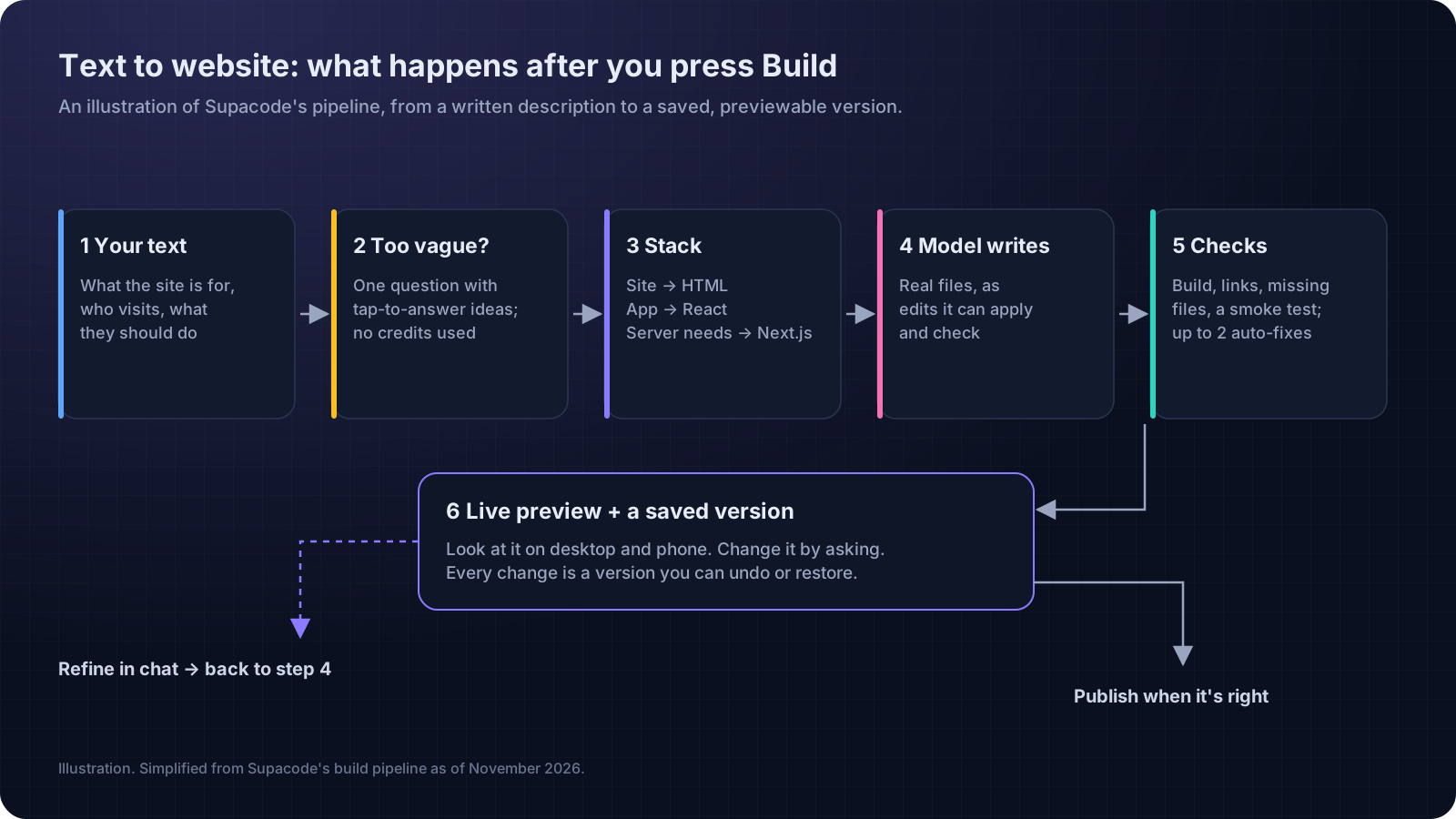
Between your text and the preview there are several steps. Knowing them explains most of what you'll see.
1. A vagueness check
If the first message of a new project says what kind of thing to build but nothing about what it's for (“make me a website”), Supacode asks one short question with three or four suggested answers you can tap, instead of guessing. The question uses no credits. Anything with a real subject, even a short one like “portfolio for a photographer”, builds straight away.
2. A stack choice
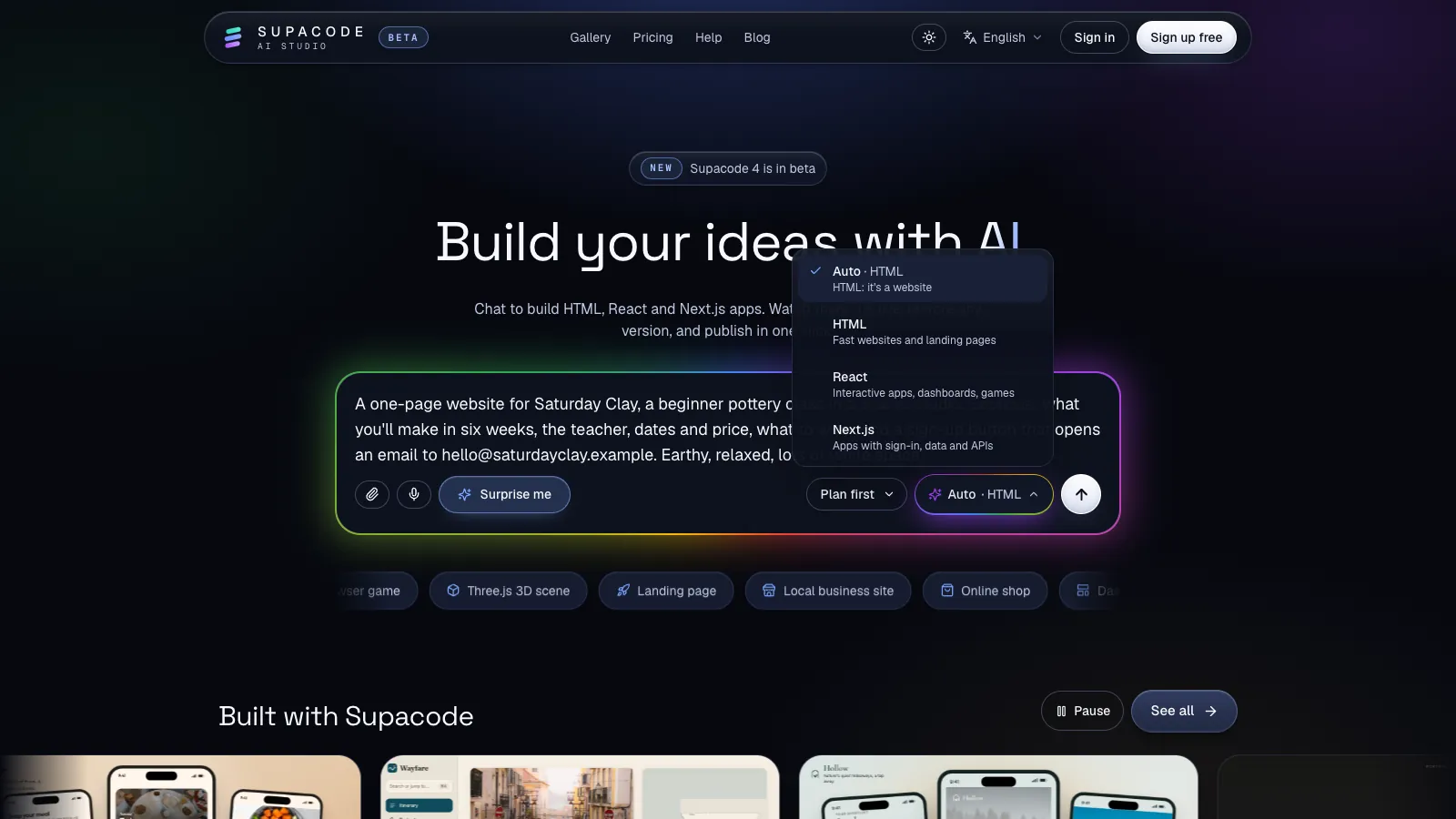
Rules read the prompt for signals. Sites with pages and content get plain HTML; interactive apps such as dashboards, games and trackers get React; anything that needs a server for sign-in, saved data, payments or sending email gets Next.js. Naming a stack in the prompt overrides the rules. You can see the pick before you send: the composer shows it next to Auto, the stack menu gives a one-line reason, and you can choose another stack there.
3. The model writes files
By default, Supacode's builds run on Anthropic's Claude models. The model doesn't paint a picture of a website; it writes the files: index.html, stylesheets, scripts, more pages. On later requests it writes targeted edits to existing files rather than rewriting everything, which is why a small request should only change what you asked about. An edit that's cut off halfway is thrown away, never half-applied.
4. Checks and automatic fixes
Before you see anything, Supacode checks the result: does the code build, does every image or file it references exist, do the navigation links point to real pages? For HTML and React sites it also runs the page for a moment to catch crashes and blank screens. If problems remain, it makes up to two automatic fix attempts. If those fail too, the credits for the fix attempts are refunded.
5. A preview and a version
The result appears in the live preview and is saved as a version. Every later change is another version, and you can undo, preview or restore any of them.
How does the AI remember your site between messages?
A language model doesn't remember your project the way a person does. Each request is assembled from scratch, so what it “knows” is what Supacode sends with your new message:
- The Memory file.
SUPACODE.md, shown in the studio's Memory tab: goals, design choices and rules for this project. It's read with every request. - Your files. The project's file list, plus the contents of the files most relevant to the request.
- The recent conversation. The last twelve messages word for word, and a short running summary of older ones.
Two practical rules follow. First, anything that must hold for the life of the site, such as “never use photos of people” or “prices always include VAT”, belongs in the Memory tab, not in message thirty. Second, when a change touches something that already works, say so in the request: “keep the header and colours as they are”. The model sees your files, but it doesn't know which parts you're attached to.
What can't text to website do well?
Generated sites are good at structure, layout and first-draft copy. They're weak in predictable places, and knowing those places saves most of the frustration:
| Limit | Why it happens | What you do |
|---|---|---|
| Your facts | The model can only use details you give it; gaps get plausible filler | Paste real names, prices, hours and text; check every number |
| Your taste | “Modern” and “clean” mean different things to everyone | Attach a screenshot of a site you like and say what to take from it |
| Forms and data | A static page can show a form but can't store the answers | Use an email link, a booking service, or your own Supabase database |
| Very large requests | Each request has a time limit | Build in steps; if it stops, Supacode keeps the finished files and says so, and you ask it to continue |
| Quality you didn't ask for | Accessibility and search basics aren't guaranteed by a prompt | Ask for them explicitly, then test with a keyboard and on a phone |
None of these is a reason not to use it. They're the reason to review. Google's guidance on AI-generated content makes the same point from the search side: it rewards helpful, original content however it's produced, so a generated page that says something specific and true about your business is fine, while one full of filler isn't. Our accessibility checklist covers the twenty-minute test worth running before you publish.
How do you write a prompt that gets a better site?
Anthropic's own prompting guide suggests treating the model like a brilliant but new employee who lacks context on your norms. That framing works well for websites. Compare two prompts for the same pottery class:
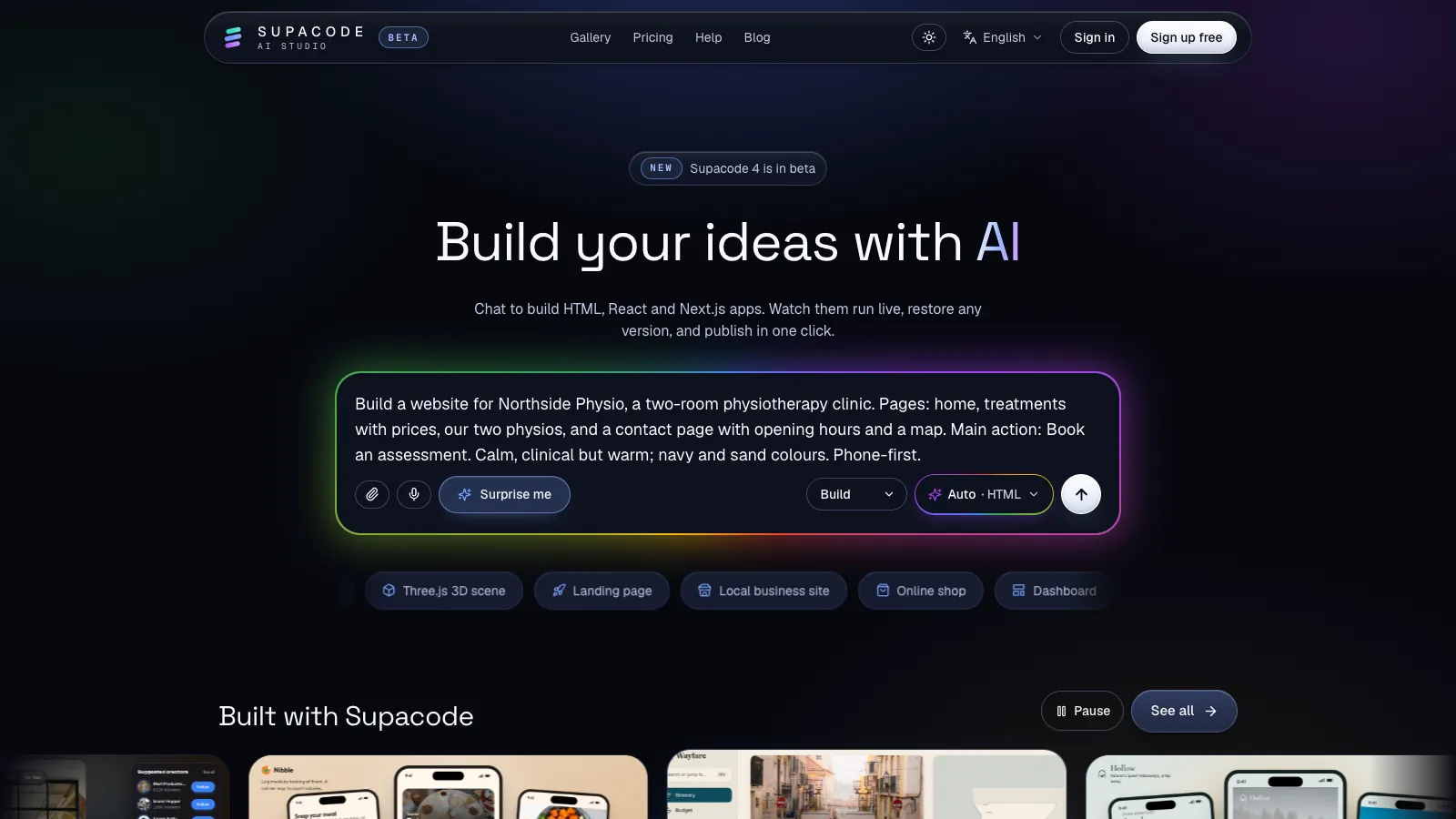
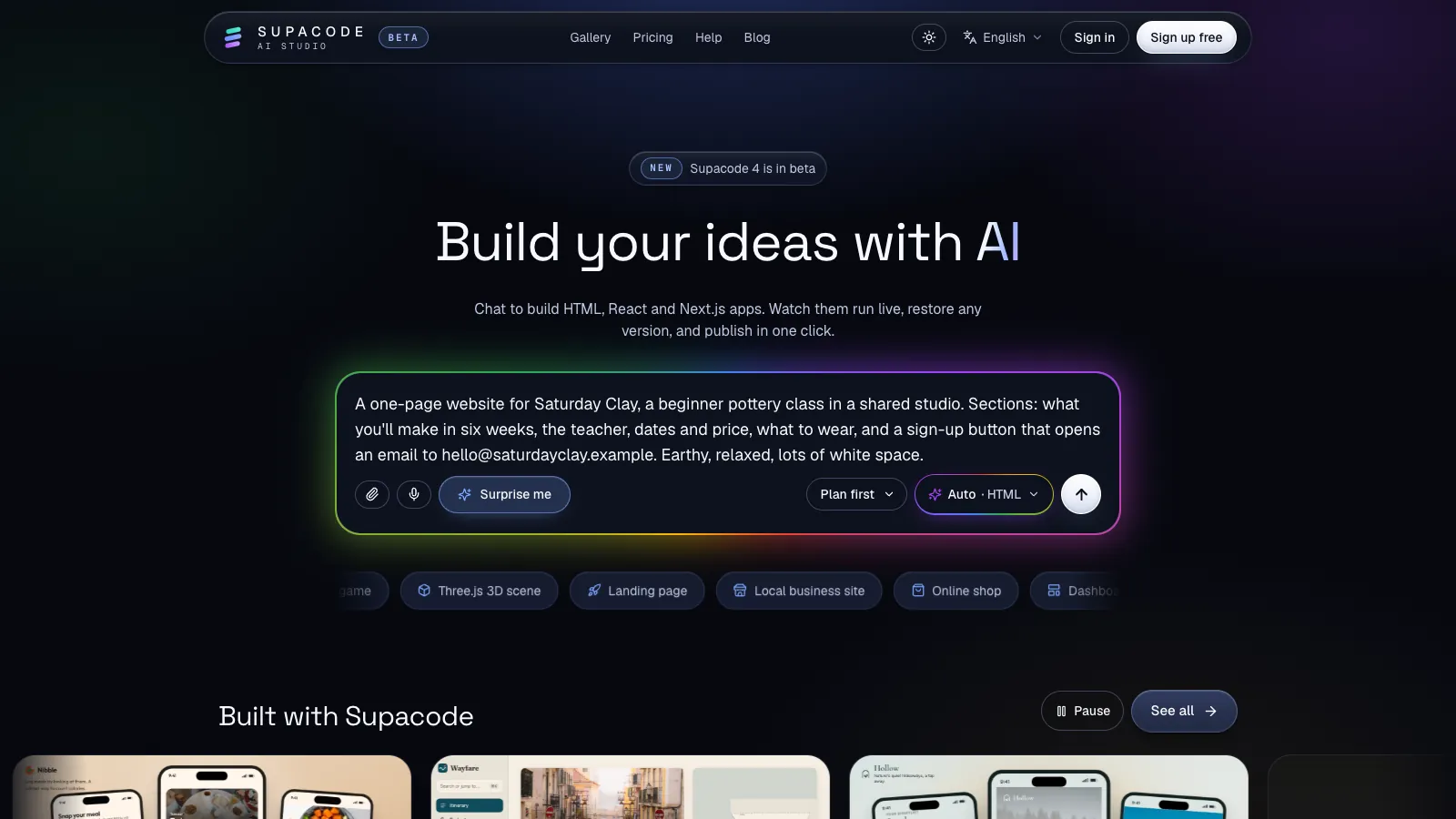
Make a website for my pottery class.A one-page website for Saturday Clay, a beginner pottery class in a shared studio. Sections: what you'll make in six weeks, the teacher, dates and price, what to wear, and a sign-up button that opens an email to hello@saturdayclay.example. Earthy, relaxed, lots of white space.The first will build, but every decision is a guess. The second answers the questions a designer would ask in a first meeting. Use it as a pattern:
- What it is and for whom. “A beginner pottery class”, not “a pottery website”.
- One main action. Sign up, book, call, buy. One, so it can be obvious.
- The pages or sections, named. The navigation comes out right first time.
- Your real content. Paste it. Long, pasted briefs are fine.
- The look in a few words. Two or three adjectives and your colours beat a paragraph of styling.
- What must not change (from the second request on). “Keep the header and colours.”
For anything you're unsure about, switch the composer from Build to Plan first: Supacode answers with a plan in the chat and changes no files, so you can fix the plan before anything is built. Ask mode answers questions about your project without editing it. For prompting habits that apply to apps as well as sites, see prompt patterns for AI app builders.
Should you start from a prompt or a template?
A prompt is best when your site is specific to you: a clinic, a class, a portfolio with your own work. A template is best when you want a proven layout fast. Supacode's gallery has official templates across HTML, React and Next.js; copying one uses 0 credits, and from there it's text to website again: you describe what to change.
Either way, the second request is where the real work happens. Our walkthrough AI website generator: build a site, then fix what's off takes one prompt from first draft to published, including what to do when the result isn't right. For the basics of a small business site, see how to build a website with AI.
What does it cost to turn text into a website?
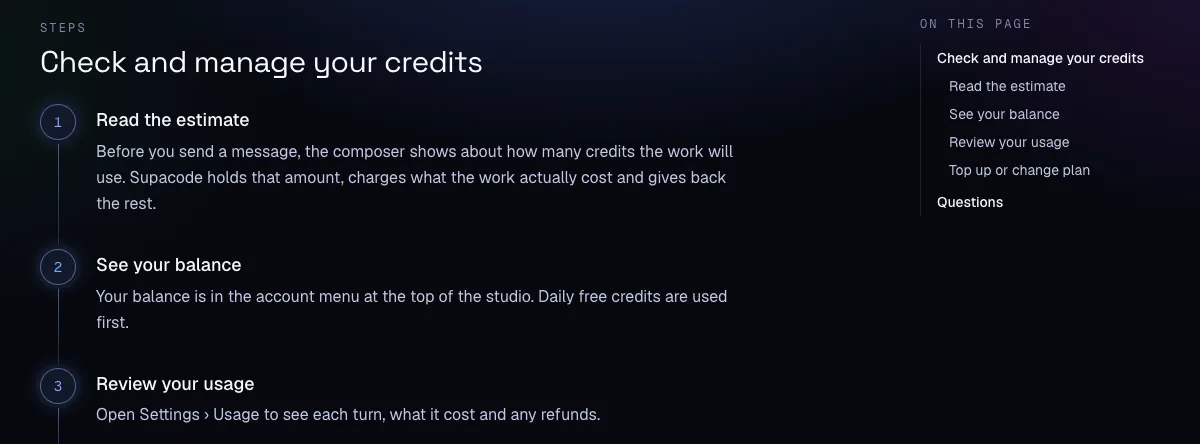
Supacode meters AI work in credits. In the studio, the chat shows an estimate before you send a request; Supacode holds that amount, charges what the work actually cost and gives back the rest. (A first build started from the home page begins straight away and shows its estimate in the progress line.) Fix attempts that fail are refunded, and the vagueness question is free. The Free plan includes free credits every day; current plans and limits are on the pricing page.
When the site is right, press Publish and it goes live on your own supacode.app address, visible only to people with the link until you add it to the gallery. The code is yours: any version can be downloaded as a zip. The credits guide and publishing guide cover the details.
FAQ
Frequently asked questions
What is text to website?
Text to website means describing a site in plain language and letting AI generate the working pages: structure, copy, styling and code. You then refine it by asking for changes.
Is prompt to website the same as text to website?
Yes. Both describe generating a website from a written description. Supacode writes real HTML, React or Next.js files, and you can download any version as a zip.
How long should a text-to-website prompt be?
Long enough to name the audience, one main action, the sections, your real content and the look. A short paragraph is usually enough for a first draft; pasting real text makes it better.
Can I turn text into a website for free?
Yes. Supacode's Free plan includes free credits every day, and in the studio the estimate shows what each request will use before you send it. Check the pricing page for current plans.
Why did the AI invent details on my site?
A model can only use the facts you give it, so gaps get filled with plausible placeholders. Paste your real names, prices and text, and ask it to remove anything you didn't supply.
Does a website made from text rank on Google?
It can. Google says it rewards helpful, original content however it is produced. Specific, accurate content and a fast, accessible page matter more than how the code was written.
Sources
- Prompting best practices · Anthropic
- Google Search's guidance about AI-generated content · Google Search Central
- <a>: The Anchor element (mailto: links) · MDN Web Docs