Features
Everything you need to go from idea to live app
Describe what you want. Supacode writes real code, runs it next to the chat, saves every change as a version and publishes it in one click. Here is what works today.
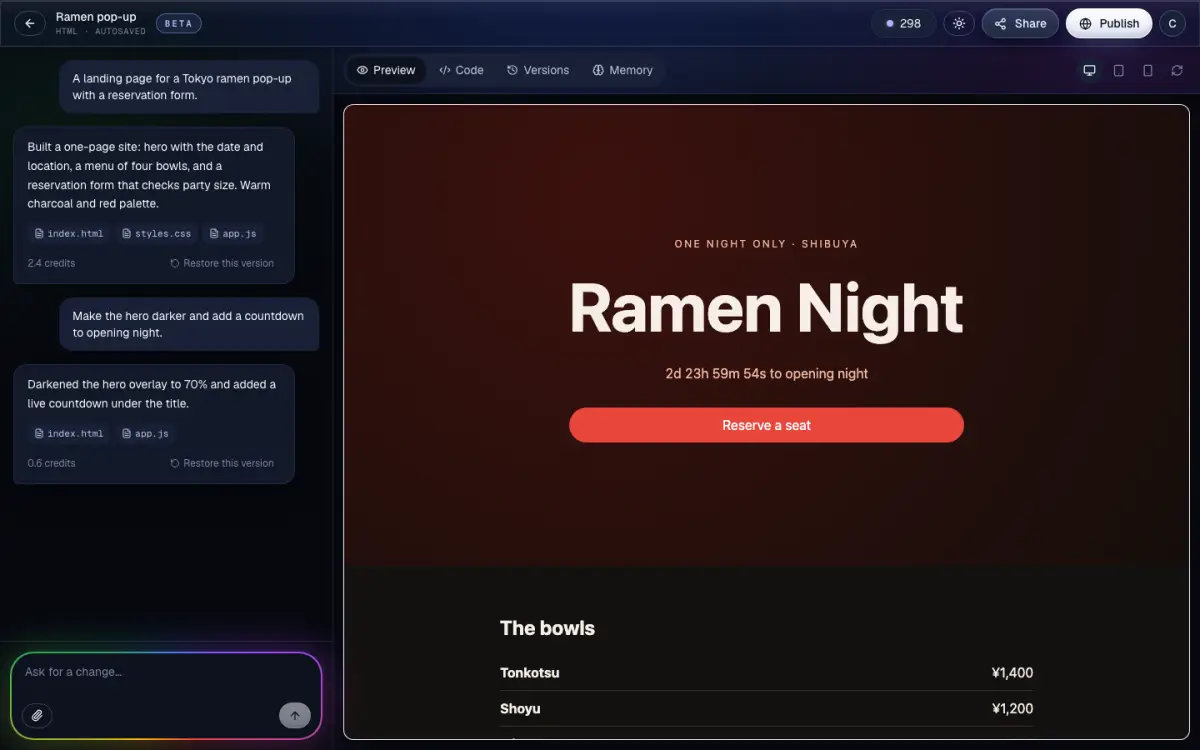
01 · Build
Build by chatting
Say what you want in plain words. Supacode plans the work, writes the files and checks the result.
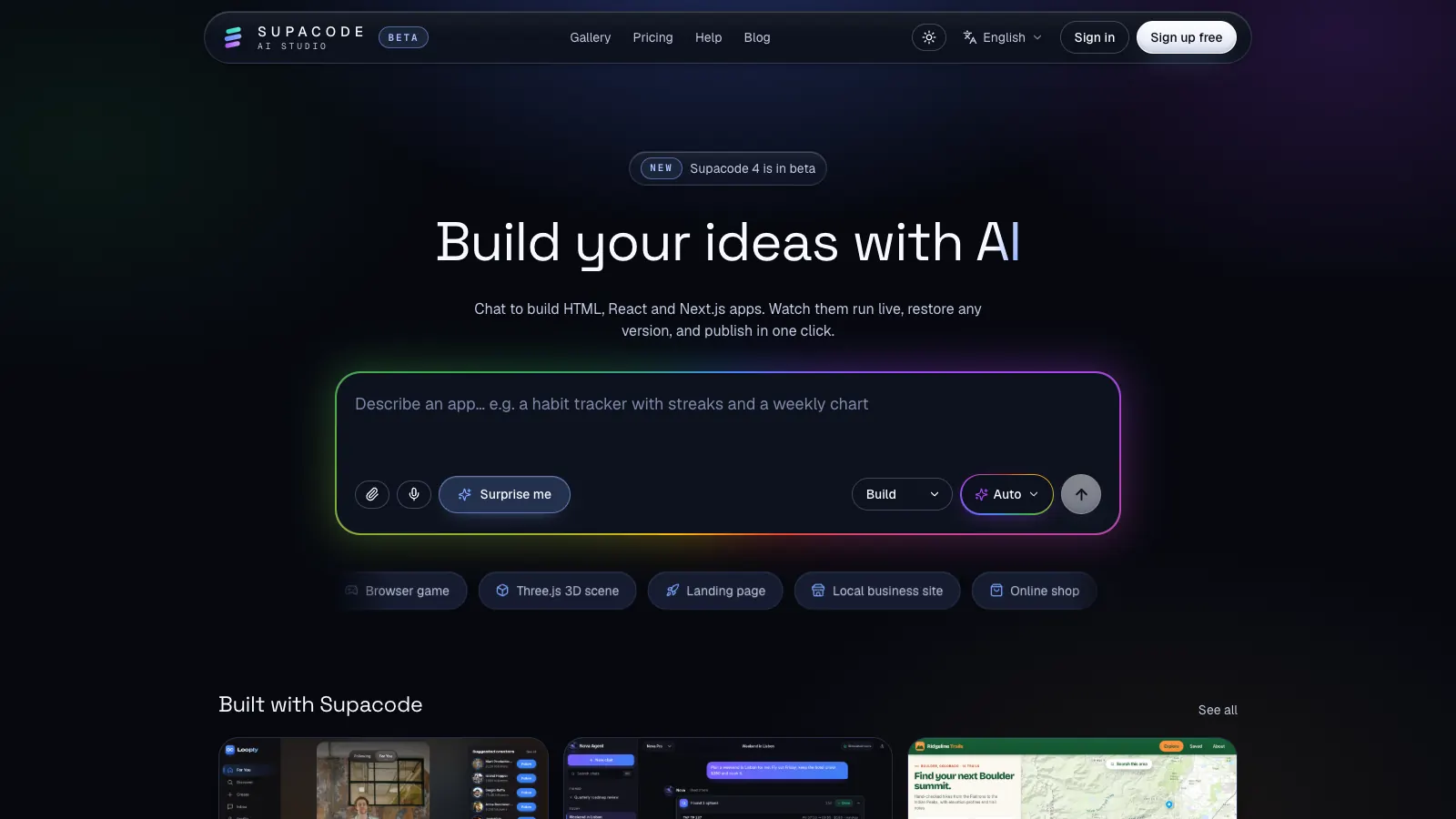
HTML, React or Next.js
Real code in the stack that fits: fast HTML sites, interactive React apps, or Next.js apps with pages and server routes.
Auto stack
Not sure which to pick? Leave it on Auto and Supacode chooses from what you describe.
Build, Plan and Ask
Build makes changes. Plan writes a step-by-step plan first. Ask answers questions about your project without touching the code.
Attach screenshots and files
Drop in a sketch, a screenshot or your logo. The AI looks at images and builds from them.
Voice typing
Dictate your idea with the microphone in the home composer instead of typing.
See the cost first
Every request shows its credit cost before it runs. If an automatic fix fails, its credits come back.
Checks and fixes
Supacode checks each build. When the preview reports errors, a Fix issues card lets you send them back to the AI in one tap.
02 · Preview
Watch it run, then change it
Your app runs live beside the chat while it is being built, so you always see the real thing.
Live preview
See each change the moment it lands, then ask for the next one.
Real Next.js runtime
Next.js projects run in a cloud sandbox with hot reload, so server routes and pages behave as they will in production.
Full-screen preview
Open the app on its own page to try it like a visitor would.
Edit code by hand
Open the Code tab to change any file yourself, with syntax checks as you type. Your edits are saved as versions too.
03 · Versions
Every change is a version
Experiment freely. Nothing you build is ever overwritten.
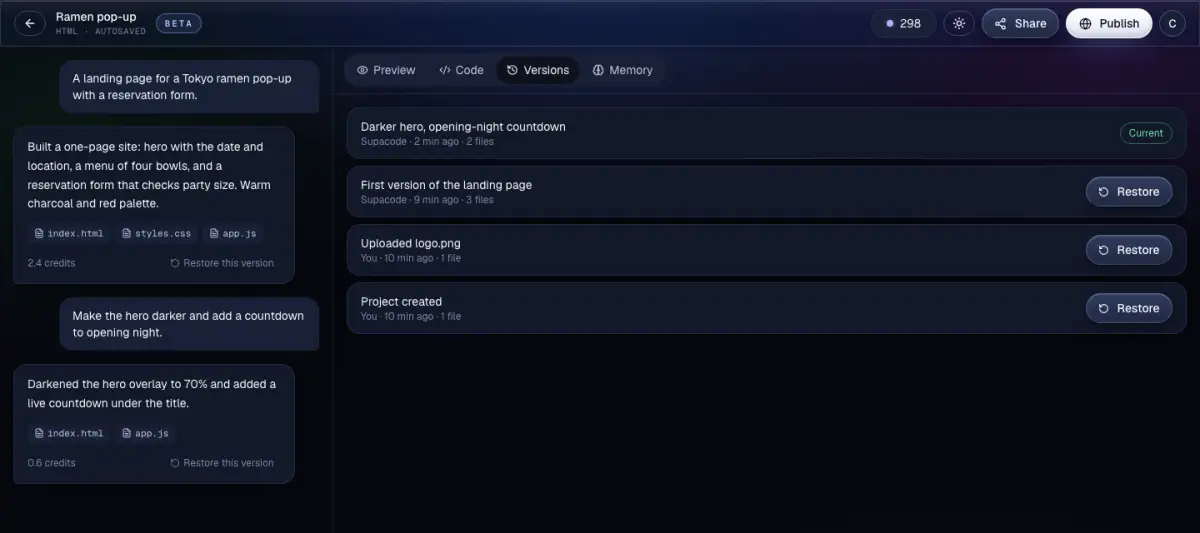
Automatic history
Each AI turn and each manual edit is saved as a version of the whole project.
Undo in one click
Not what you wanted? Undo the last change right from the chat.
Preview before you restore
Look at any earlier version first, then restore the whole project or just one file.
Named checkpoints
Name the versions that matter, like "before redesign", so they are easy to find.
Download any version
Download a .zip of any version, or start a new project from it.
Recently deleted
Deleted projects stay in Recently deleted for 30 days, so you can bring them back.
04 · Images
Images, photos and your own files
Sites look finished from the first build, with pictures that fit.
AI images
Supacode can generate images for your app with Google Gemini. Each plan has a daily allowance, and the cost is shown before you send.
Stock photos
Builds can use free stock photos from Pexels, chosen to match your content.
Uploads
Add images, video, audio, PDFs, fonts and text files to your project. Files are checked to make sure they are what they claim to be.
Your brand
Upload your logo and ask Supacode to use it in the header, the favicon or the share image.
05 · Templates
Start from a template, or remix
Begin with a polished app made by the Supacode team, or with something the community shared.
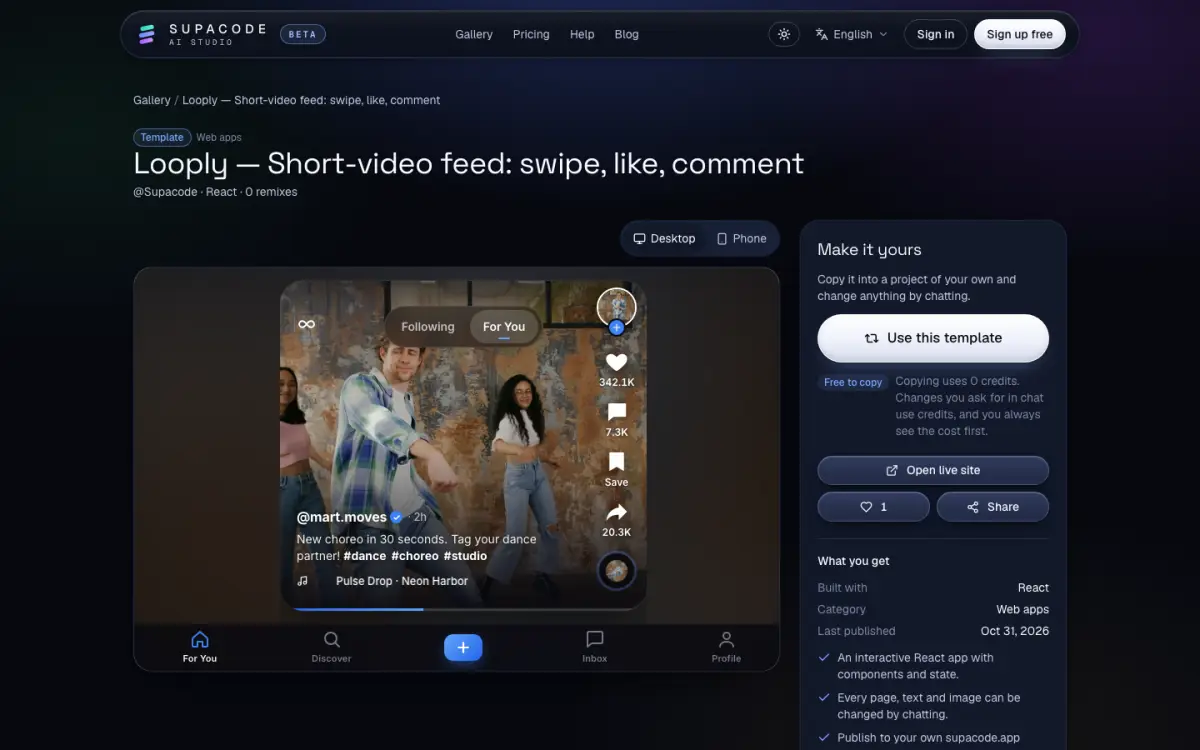
Official templates
Landing pages, shops, dashboards, chat apps and more, built with Supacode in HTML, React and Next.js.
Make it yours
Copy a template or a public project into your account in one click, then change anything by chatting.
Public gallery
Search the gallery by stack and category, and share your own project there when you're ready.
Likes and sharing
Like projects you enjoy and share any project page with a link.
06 · Publish
Publish in one click
Put your site online without setting up hosting.
Your own address
Published sites get an address like your-name.supacode.app, served over HTTPS.
Rename any time
Change the address later; the old one forwards to the new one for 30 days.
Update or roll back
Publish again to update, put an earlier version live, or take the site offline. Your project stays.
Ready for search
Published pages get titles, descriptions and share tags. React sites are pre-rendered, so search engines see the content.
Apps that need a server
When an app uses server features, deploy it to your own Vercel account from the Publish menu.
07 · Your accounts
Your code, your accounts
Supacode writes standard code that you can take anywhere.
Push to GitHub
Connect GitHub and push your project's code to your own repository.
Connect Supabase
Link your own Supabase project for a real database and sign-in. Database changes are written as migrations and run only when you approve them.
Deploy to Vercel
Host apps with server features on your own Vercel account.
08 · Privacy
Private by default
Your projects and chats are yours.
Private projects
Projects are private until you publish or share them. Your chat history is never public.
No training on your work
We use AI providers through paid APIs whose terms don't allow training on your data, and we don't train models on it either.
No trackers
Only essential cookies. No advertising or analytics cookies and no third-party trackers.
Two-step sign-in
Sign in with email, Google or GitHub, add two-step sign-in, and review recent sign-ins in Settings.
Download or delete your data
Download everything as a zip, or delete your account, from Settings at any time.
Use Supacode in your language
The site, the studio and the help centre are translated. Switch language from the menu at the bottom of any page.
Coming soon
Custom domains
Connecting your own domain to a published site is built and being tested. It will be part of the paid plans.
FAQ
Questions
What can I build with Supacode?
Websites and web apps: landing pages, portfolios, restaurant and small-business sites, online stores, booking apps, dashboards, chat apps and more, as HTML, React or Next.js code.
Do I own the code?
Yes. What you build and upload is yours, as far as the law allows. You can download any version as a .zip or push it to your own GitHub repository.
Can I start for free?
Yes. The Free plan gives you free credits every day. The Pricing page shows the plans and what each includes.
Which stack should I choose?
HTML for fast, simple sites; React for interactive apps; Next.js for apps with several pages and server routes. If you're unsure, leave the stack on Auto.
Can my app have a database and sign-in?
Yes. Connect your own Supabase project. Supacode writes the database changes as migrations and runs them only after you approve.
Do you use my projects to train AI?
No. The AI providers we use don't train on your data under their API terms, and neither do we.
Build your first app today
Describe your idea and watch it come to life. You'll see the cost of every request before it runs.