How to Build a Website With AI: Step by Step, Free
How to build a website with AI, step by step and for free: the prompts to use, a small business checklist, SEO basics and how to publish in one click.

By Supacode Editorial · Product and engineering
Contents
Quick answer
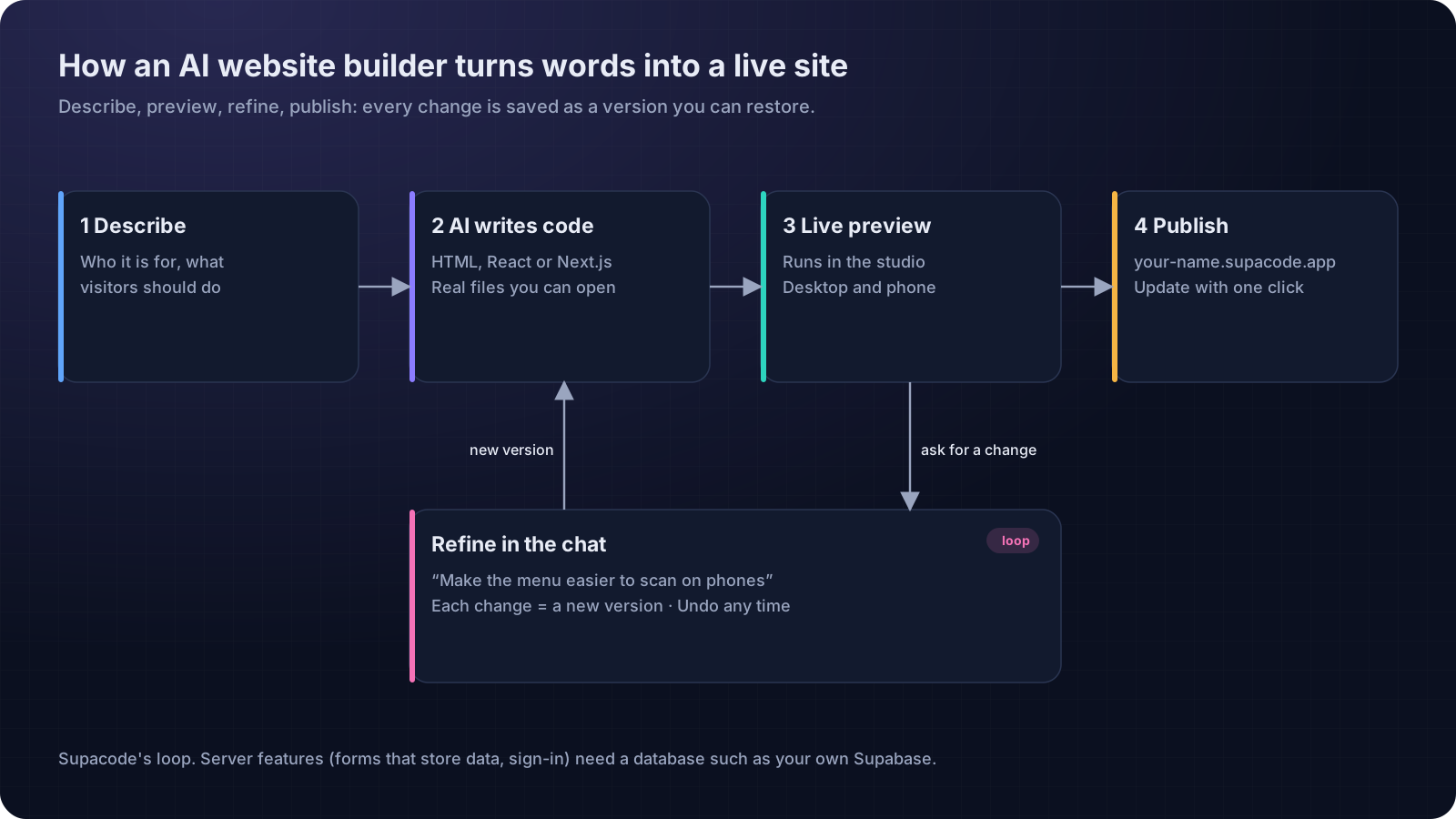
To build a website with AI, describe your business and what visitors should do in one detailed prompt, let an AI website builder generate the pages, check the live preview on desktop and phone, refine it with short follow-up requests, and publish. With Supacode's Free plan you can do all of this for $0 and have a live site on your own supacode.app address in under an hour.
- The prompt is the brief: who the site is for, what visitors should do, and your real details (hours, prices, address).
- Plain HTML is the right stack for most small business sites: fast, simple and easy to host.
- Refine one thing at a time. Every change is a version you can undo.
- Free covers building and publishing on supacode.app; check SEO, phones and forms before you share the link.
Can AI really build a website for you?
Picture a baker in Portland at 5 a.m., flour on her apron, who has meant to “do the website” for three years. The old choices were all bad in their own way: a drag-and-drop builder that ate a weekend, a template that looked like everyone else's, or a designer she couldn't afford yet.
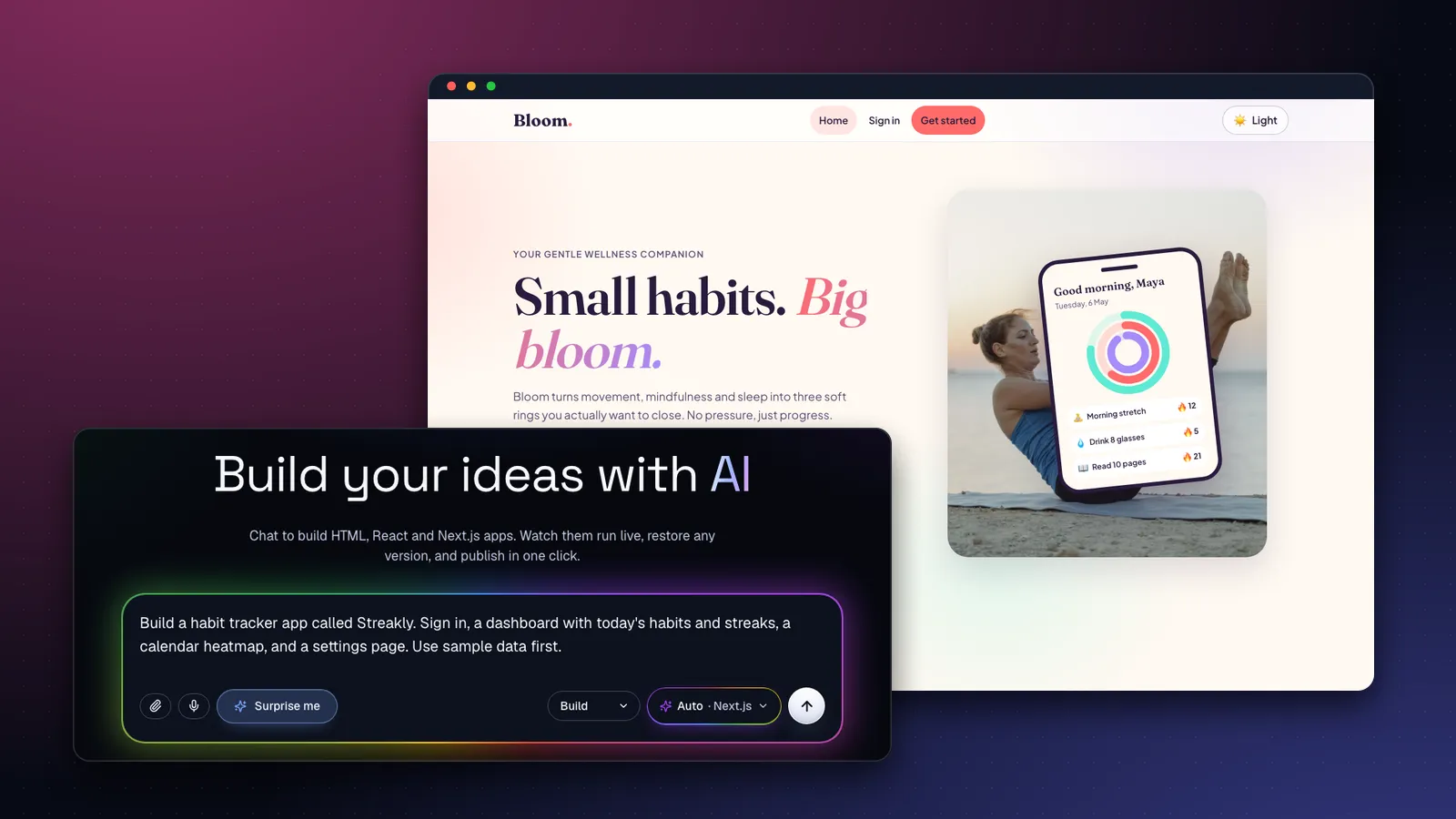
AI website builders change the first step. Instead of arranging boxes, you describe the business in plain words and the AI writes the site: the layout, the copy, the styling, the code. Supacode, for example, writes real HTML, React or Next.js files, runs them in a live preview, and lets you change anything by asking. The result is not a mock-up; it is the actual website.
| Drag-and-drop builder | AI website builder | Hire a designer | |
|---|---|---|---|
| First draft | Hours to days | Minutes | Weeks |
| Who does the layout | You, block by block | The AI, from your description | The designer |
| Changing it later | Find the setting | Ask in plain words | Email and wait |
| Owning the result | Locked to the platform | Supacode: real code you can download | Depends on the contract |
What AI does not replace is your knowledge of the business. The quality of the site depends on what you tell it, which is why the next section matters more than any tool choice.
What do you need before you build a website with AI?
Ten minutes of preparation saves an hour of corrections. Gather:
- One sentence on who it is for. “Neighbours who want fresh bread and pre-order for weekends.”
- The one thing visitors should do. Call, book, order, visit, sign up. Pick one primary action.
- Real details. Name, address, opening hours, phone, prices, services, two or three customer quotes you have permission to use.
- Your look. Two or three adjectives (warm, hand-made, calm) and, if you have them, brand colours and a logo file.
- Photos. Your own beat stock. If you don't have any yet, AI images or stock photos can stand in.
How do you build a website with AI, step by step?
Step 1: Write one detailed prompt
Go to the Supacode home page and describe the site. Include the details from your list. Specific beats long:
Build a website for Juniper & Rye, a neighbourhood bakery in Portland. Home with today's bakes, a menu with prices, opening hours (Tue–Sun 7am–2pm), our address with a map, an Instagram-style photo grid and a weekend pre-order form. Warm, hand-made look with cream and rust colours. Phone-first.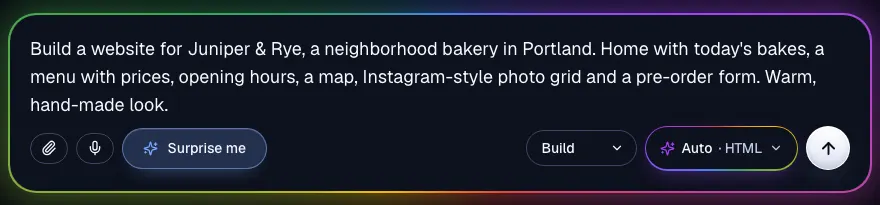
Step 2: Pick the simplest stack
Leave the stack on Auto or choose HTML. A plain HTML site loads fast and is easy to host, which is all most small businesses need. Choose React for app-like interactivity, or Next.js when you need sign-in, a database or server code. If your first prompt is too vague, Supacode asks one clarifying question before it builds rather than guessing.
Step 3: Check the cost and build
Before you send, the composer shows an estimate of the credits the work will use. Press build and the first version appears in the live preview a few minutes later, with real text from your prompt rather than lorem ipsum.
Step 4: Review the structure before the style
Resist changing colours first. Ask: is the primary action obvious within three seconds? Are the hours and address easy to find on a phone? Is anything missing? Fix structure with one clear request at a time:
Move opening hours and the address into a sticky bar at the top on phones, make 'Pre-order for the weekend' the main button in the hero, and shorten the hero text to two lines. Keep everything else.Step 5: Add your own images and logo
Drag your logo or photos into the chat (or use the paperclip) and say where they go. On plans that include image generation, the AI can create images while it builds and shows the credit cost first; otherwise it uses free stock photos. The images guide explains the options.
Use my uploaded logo in the header and as the favicon. Replace the hero photo with the croissant picture I just uploaded, and use warm stock photos of bread for the menu items that don't have a photo yet.Step 6: Make it findable
Give every page a unique title and meta description under 155 characters, add LocalBusiness structured data with our name, address, phone and hours, write descriptive alt text for every image, and make sure headings go H1 → H2 in order.Step 7: Publish
Open the Publish menu and press Publish now. Your site goes live on an address like juniper-and-rye.supacode.app, and you can pick or change that address. After later edits, press Update live site. You can also unpublish at any time (publishing guide). Every change you made along the way is a version you can preview and restore (versions guide).
How do you build a website for a small business?
A small business site has one job: turn a search into a visit, a call or a booking. That puts a few things above everything else.
- Name, address and phone, identical everywhere. The same details on your site, your Google Business Profile and your social pages.
- Structured data. Google documents LocalBusiness markup for hours, address and more. The SEO prompt above asks for it.
- Speed on phones. Google's Core Web Vitals measure loading, responsiveness and visual stability. A lean HTML site starts with an advantage.
- Accessibility. Readable contrast, real buttons, alt text and keyboard access, as set out in WCAG. It helps every visitor, not only those using assistive technology.
- One clear action per page. Order, book, call. Everything else supports it.

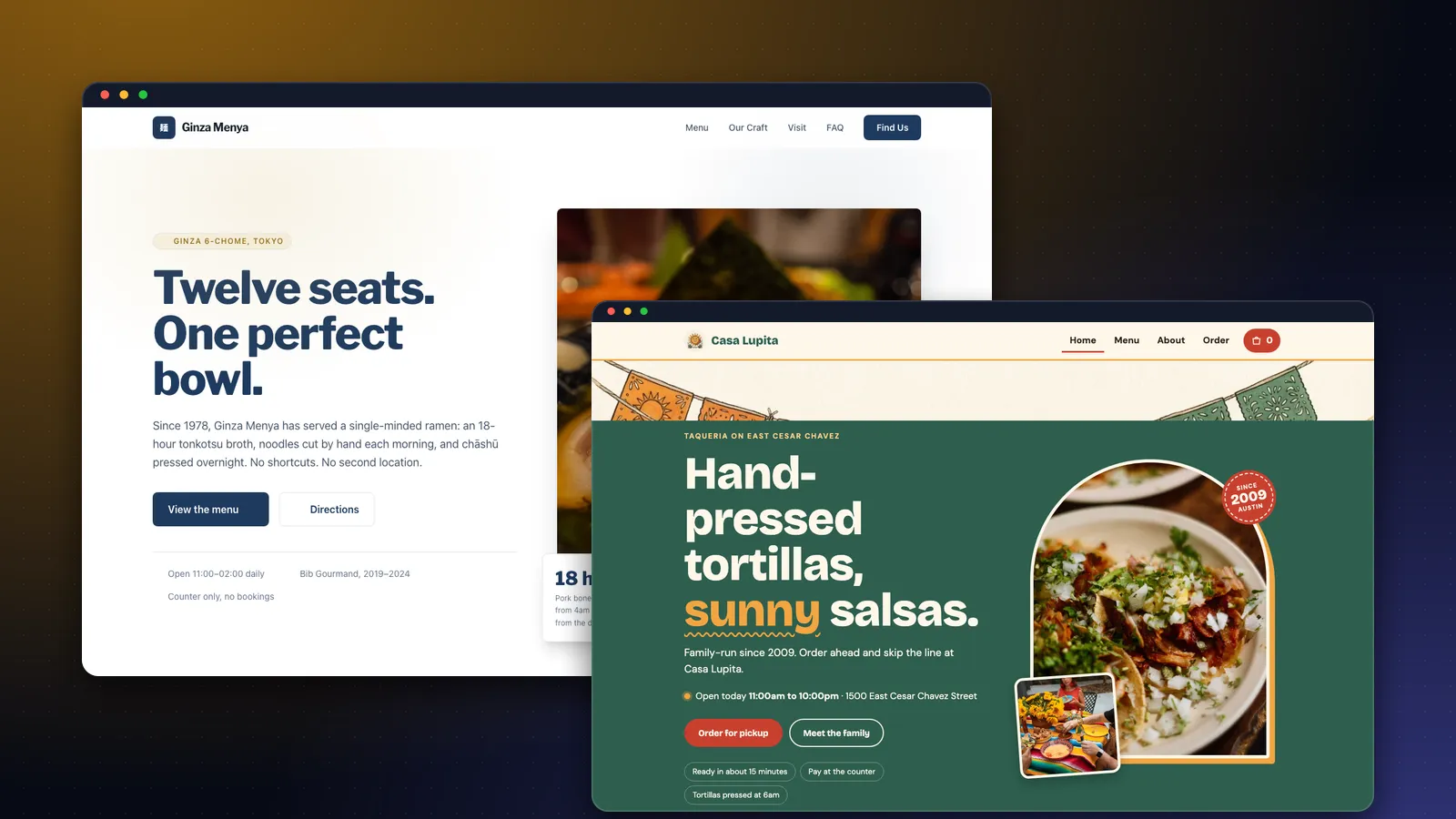
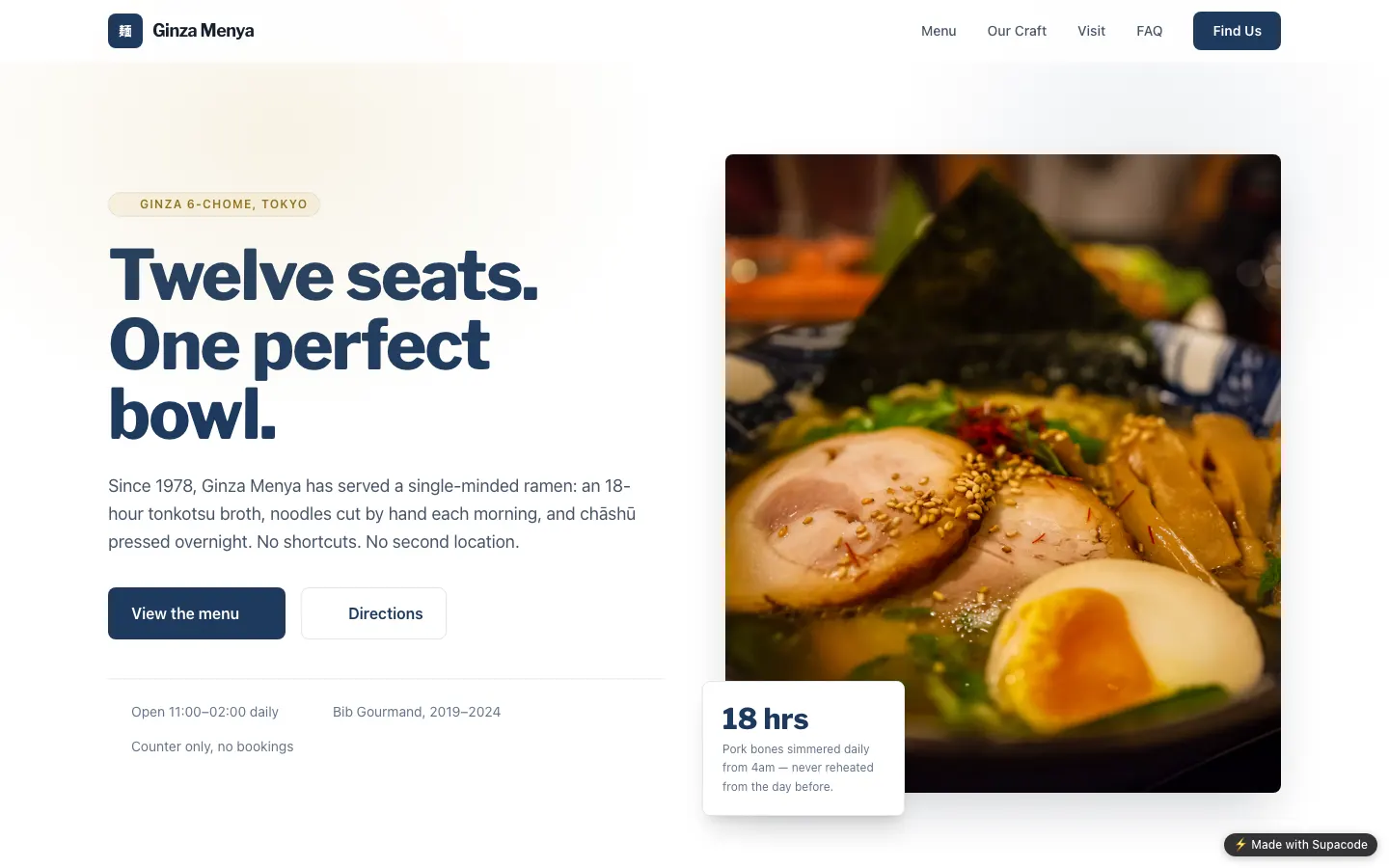
Prefer something quieter? This ramen shop site from the gallery is a single plain HTML page. Browse more starting points in the template gallery, or read our small business use case.
Can you build a website with AI for free?
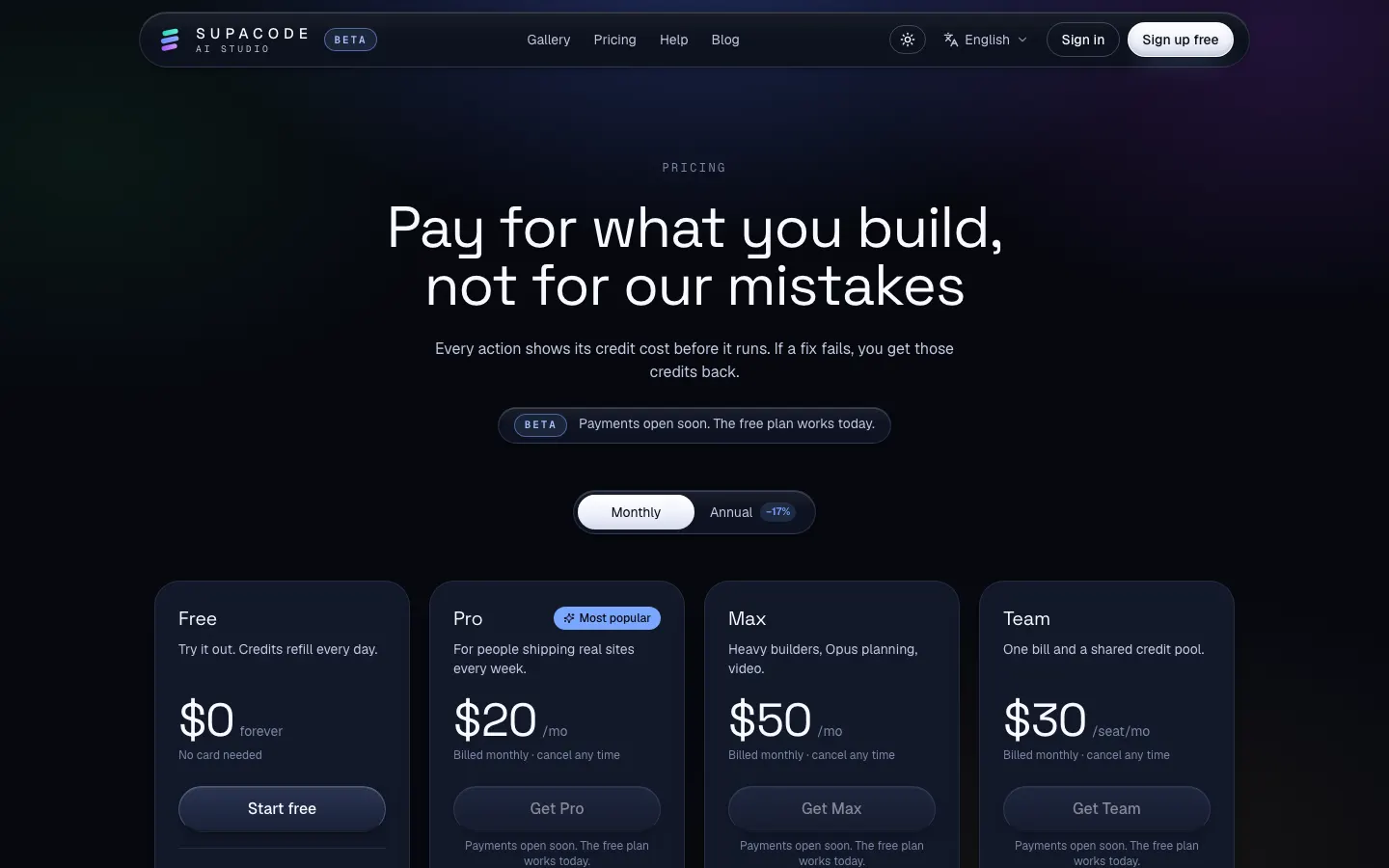
Yes. Supacode's Free plan includes 5 credits every day (they reset daily) plus 20 welcome credits when you sign up, which is enough to build and refine a small site over a few sessions. Copying an official template uses 0 credits.
| Included on Free | Not included on Free |
|---|---|
| Building with HTML, React or Next.js | Removing the Made with Supacode badge |
| Live preview, versions and undo | GitHub sync (download a zip instead) |
| Publishing on a supacode.app address, up to 3 live sites | More than 3 projects |
| Daily credits, plus an estimate before every action | Monthly credit allowances (Pro, Max, Team) |
If a change breaks the build and the automatic fix also fails, the credits for those fix attempts are refunded. The credits guide and the pricing page have the details.
Will an AI-built website rank on Google?
Google's position is consistent: it rewards helpful, original content regardless of how it was produced. Its SEO starter guide still reads like a checklist for small business sites: descriptive titles, useful text, clear links, good images with alt text.
The risk with AI is not the AI, it's generic copy. A page that could describe any bakery in any city helps no one. Feed the builder specifics (your hours, your neighbourhood, your best-seller) and ask it to write like you talk. Then read every line before you publish.
What are the most common mistakes when building a website with AI?
- A vague first prompt. “Make me a website” forces the AI to guess. Name the business, the audience and the action.
- Ten changes in one message. Bundle requests and you can't tell which one broke the layout. One change per message.
- Leaving sample text in. Search every page for invented reviews, prices or awards before publishing.
- Only checking on a laptop. Most local searches happen on phones. Check the preview at phone width.
- Forgetting the form backend. A beautiful form that sends nowhere is worse than a phone number.
Once your site is live, the next step might be an app. Our guide to building an app without coding picks up from here, and how to build an app with AI covers the general workflow.
FAQ
Frequently asked questions
How do I build a website with AI step by step?
Describe your business and its main visitor action in one detailed prompt, let the AI generate the site, review the structure in the live preview, refine one change at a time, add your images, ask for SEO basics such as titles and structured data, and publish.
Can I build a website with AI for free?
Yes. Supacode's Free plan gives 5 credits a day plus 20 welcome credits, and lets you publish up to 3 live sites on a supacode.app address. Free sites show a small Made with Supacode badge.
Which stack should I choose for a small business website?
HTML for most small business sites: it is fast and simple. Choose React for app-like interactivity, or Next.js when you need sign-in, a database or server code. Auto picks for you if you are unsure.
Can I edit an AI-built website myself?
Yes. Ask for changes in plain words, or open the code editor and change files directly. Every change is saved as a version you can preview and restore.
Will Google penalise a website made with AI?
Google evaluates whether content is helpful and original, not how it was made. Specific, accurate details about your business and a fast, accessible site matter far more than the tool.
How does a contact or booking form work on an AI-built site?
A form needs a destination. For simple cases use an email link or a form service; to store bookings or orders, connect your own Supabase database and ask Supacode to save submissions there.