How to Build an App Without Coding (Free, With AI)
How to build an app without coding, for free, with AI: plan one core flow, build it by chatting, add sign-in and data, and launch a SaaS-ready web app.

By Supacode Editorial · Product and engineering
Contents
Quick answer
You can build a working app without coding by describing it to an AI app builder, which writes real code, runs it in a live preview and lets you change it in plain words. Start with one user and one core flow, build it on sample data, connect a database and sign-in once the flow works, then publish it as a web app. Supacode's Free plan is enough for the first version.
- AI app builders write real code from your description, so you are not locked into a visual editor.
- Plan one user, one problem and one core flow. Build that with sample data before anything else.
- Real data and sign-in come from your own Supabase project; payments from your own Stripe account.
- You can build and publish for free. App store listings, commercial hosting and a live model or payment API cost money.
What does building an app without coding mean in 2026?
For two decades, “no-code” meant visual builders: drag a button onto a canvas, wire it to a database in a settings panel, and hope the platform supports the next thing you need. They worked, and they still do, but the app only ever lived inside that platform.
AI app builders take a different route. You describe the app in a sentence or a paragraph, and the AI writes the same kind of code a developer would: React components, Next.js pages, SQL tables. You never have to read that code. But it exists, it runs, and it belongs to you. In Supacode you can see it in the Code tab, download any version as a zip, or push it to GitHub on paid plans.
| Visual no-code builder | AI app builder (Supacode) | Hire a developer | |
|---|---|---|---|
| How you build | Drag, drop, configure | Describe and refine in chat | Write a spec, review builds |
| First working version | Days | Minutes to hours | Weeks |
| What you own | A project inside the platform | Real HTML, React or Next.js code | The code, if the contract says so |
| When you outgrow it | Rebuild elsewhere | Hand the code to a developer | Keep going |
What kinds of apps can you build without code?
More than most people expect. The Supacode gallery has working examples you can open and copy for 0 credits:
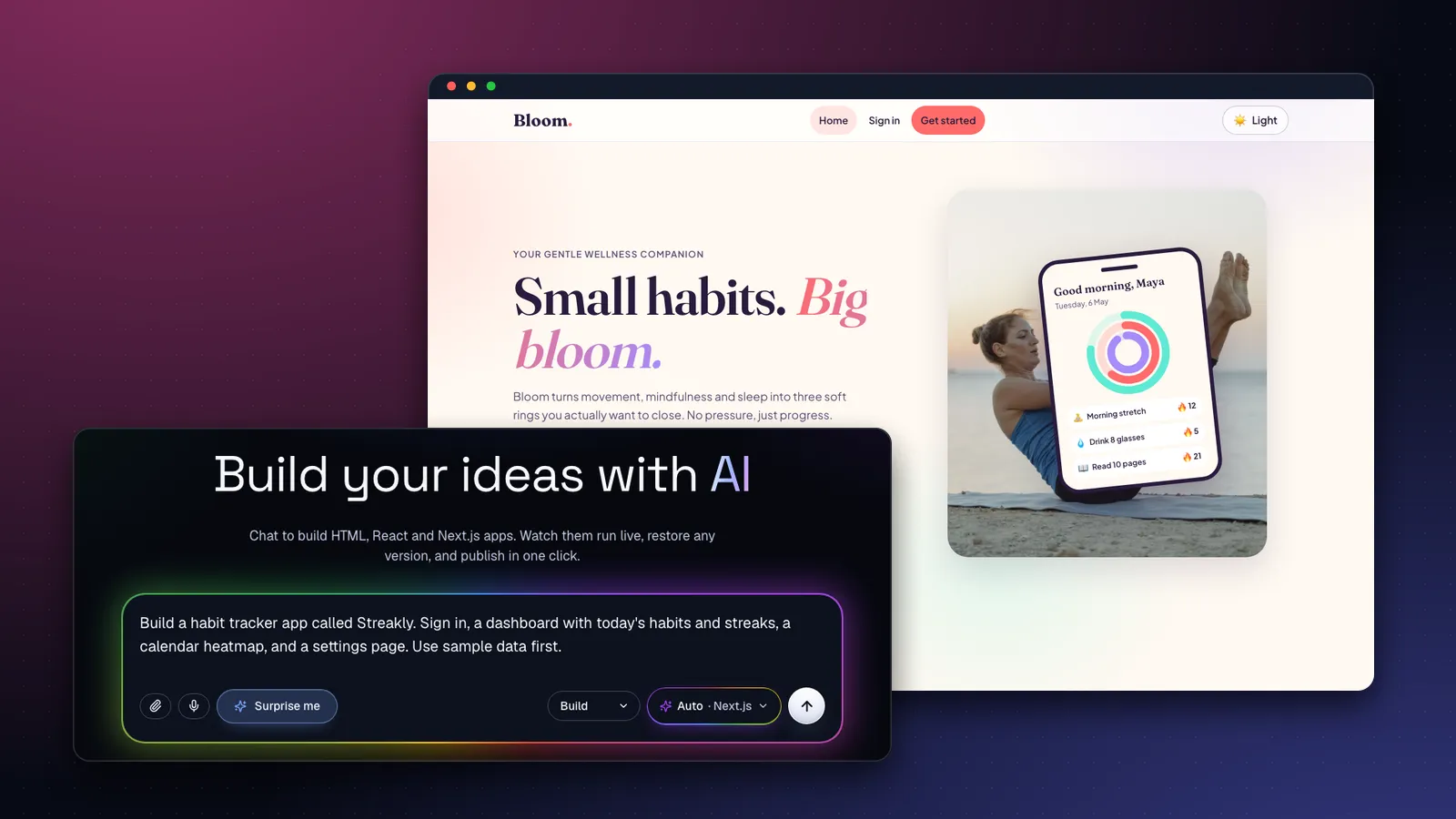
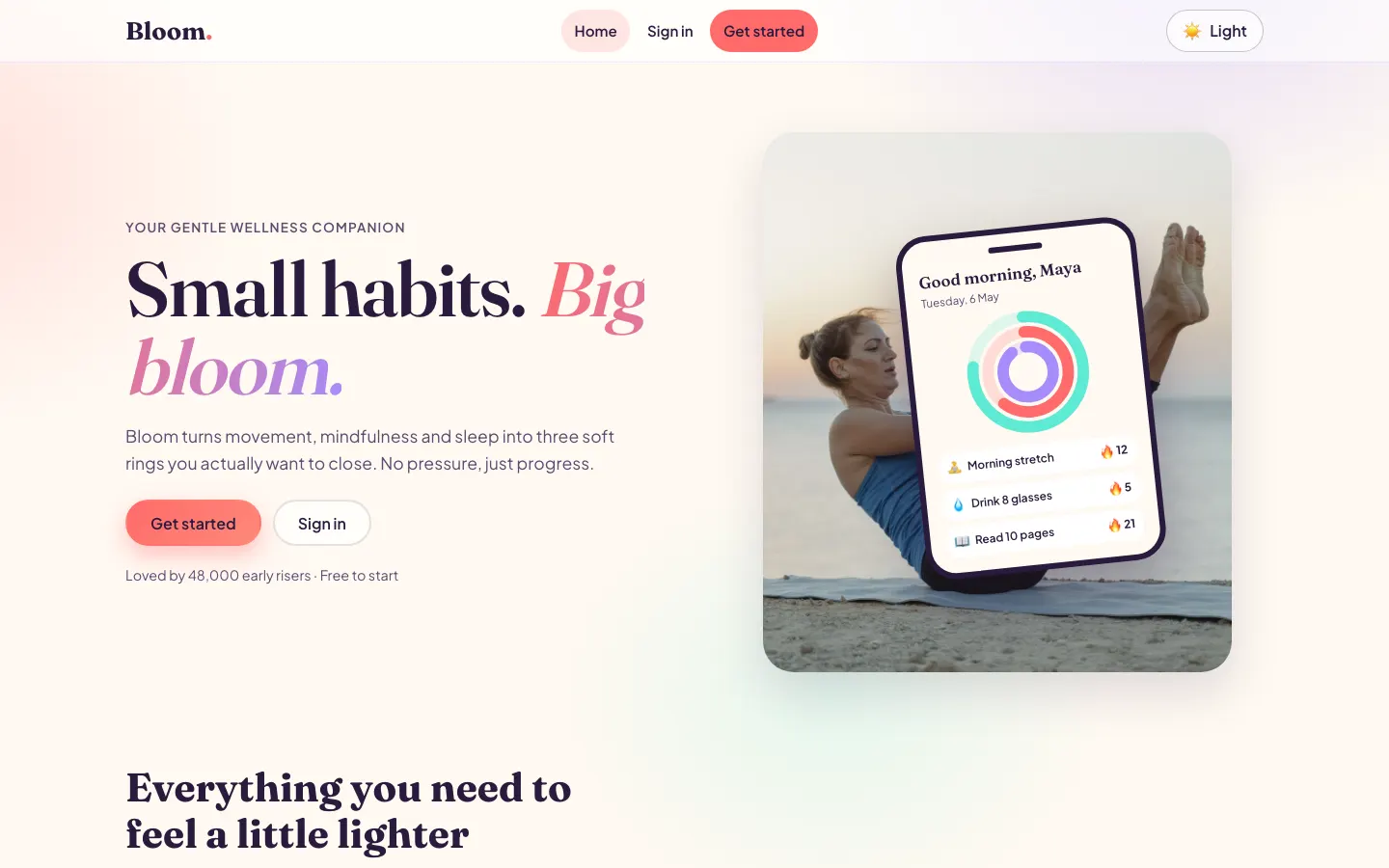
- Apps with sign-in and a dashboard: Bloom, a wellness habit app built with Next.js.
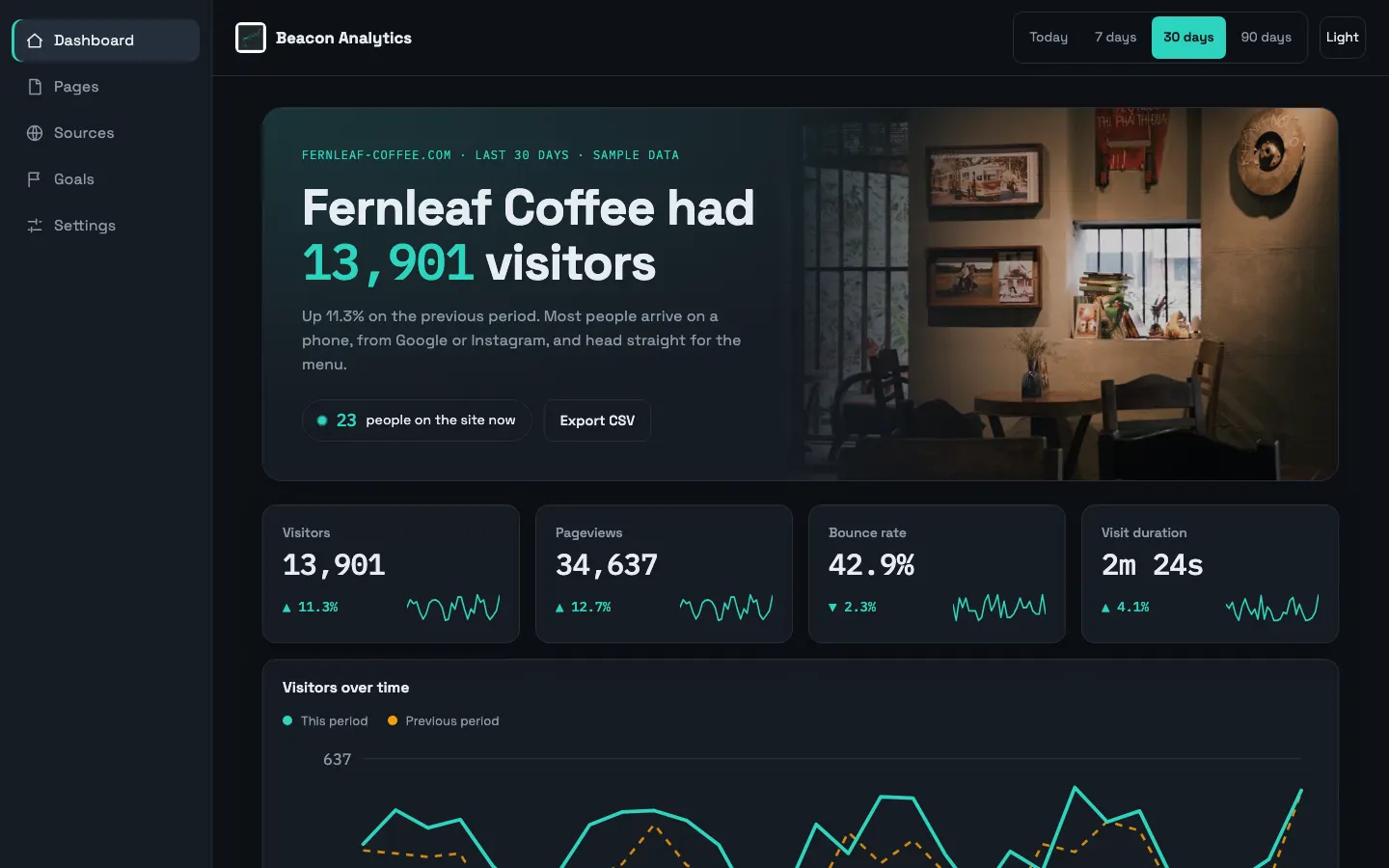
- Dashboards and internal tools: Beacon, an analytics dashboard with charts and filters.
- Marketplaces: Oddlot Market, a shop of one-off finds with search, categories and a cart.
- Social and messaging: Sprout Circle, a social network, and Parley, a team messenger.
- Team tools: Laneway, shared team boards.
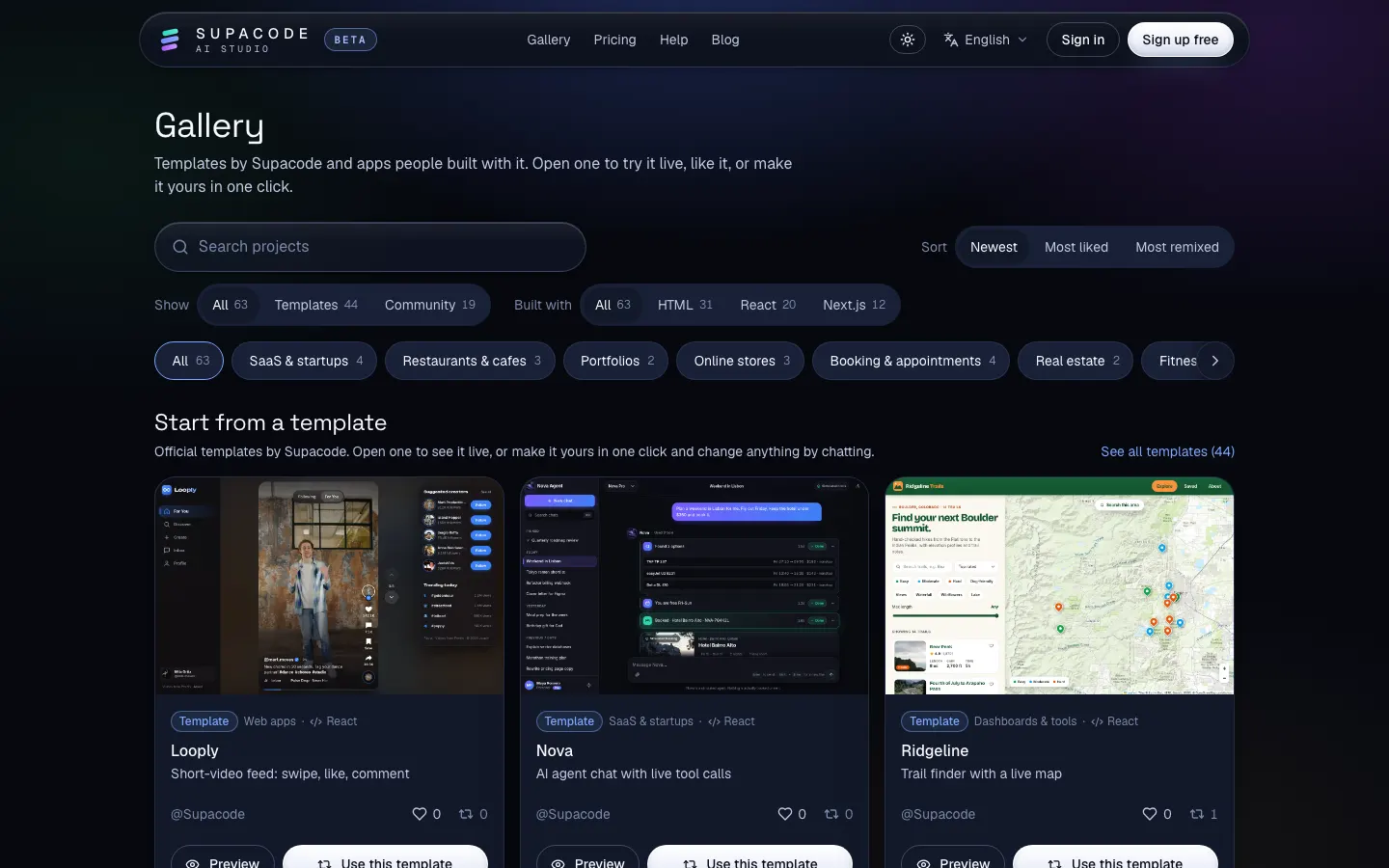
These are web apps: they run in any browser, on phones and laptops, from a link. That covers most business tools and many consumer ideas. A listing in Apple's App Store or Google Play is a separate step that needs a developer account (Apple charges $99 a year; Google Play a one-time US$25) and a native wrapper. Many teams start with a progressive web app that people can add to their home screen; ask Supacode to make your app installable when you want that.
How do you build an app without coding, step by step?
Step 1: Write a one-paragraph brief
Name one user, one problem and the one flow that solves it. “Busy people who want to keep three small habits. They open the app, tick today's habits and see their streaks.” If you can't say it in two sentences, the app is two apps.
Step 2: Build the core flow on sample data
Type your brief into the Supacode home composer. Ask for sample data so you can judge the experience before any database exists:
Build a habit tracker app called Streakly. Sign in, a dashboard with today's habits and streaks, a calendar heatmap, and a settings page. Use sample data first. Clean, friendly design that works one-handed on a phone.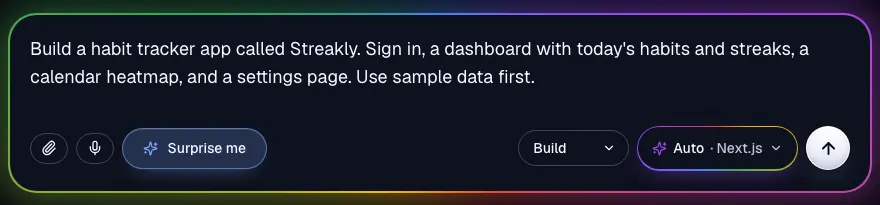
Supacode estimates the credits before it starts, picks a stack (Next.js here, because of sign-in), writes the code and runs it in a live preview. Not sure how to phrase something? Switch the composer from Build to Plan first to get a plan you can adjust before any code is written.
Step 3: Use it like a user, then change one thing at a time
Click through the flow as your user would. Then make focused requests, each saved as a new version you can undo:
On the dashboard, make ticking a habit a single tap with a satisfying check animation (respect reduced motion), show the current streak next to each habit, and add an empty state that suggests three starter habits.Step 4: Connect real data and sign-in
When the flow feels right, open the Backend tab and connect your own Supabase project with Connect with Supabase or an access token. Then ask:
Connect this app to my Supabase project: store users' habits and daily check-ins in tables with row-level security so people can only see their own data, use Supabase Auth for email sign-in, and replace the sample data with real queries. Keep the sample data as a demo mode for signed-out visitors.Supacode writes the tables and security rules as a migration. Nothing runs on your database until you review and approve it. Your data stays in your Supabase project, not in Supacode (guide).
Step 5: Publish
Press Publish. Apps that can run as static pages go live on your supacode.app address. If your app uses server features, such as API routes or server actions, the Publish menu says so and offers Deploy to my Vercel, which deploys it to your own Vercel account.
Step 6: Keep the code
Download any version as a zip, or connect GitHub on a paid plan to push every version to a repository you own. If you later hire a developer, they start from real code, not from a screenshot.
How do you build a SaaS product without coding?
A SaaS product is an app that many customers pay for, each seeing only their own data. That adds four pieces to the steps above.
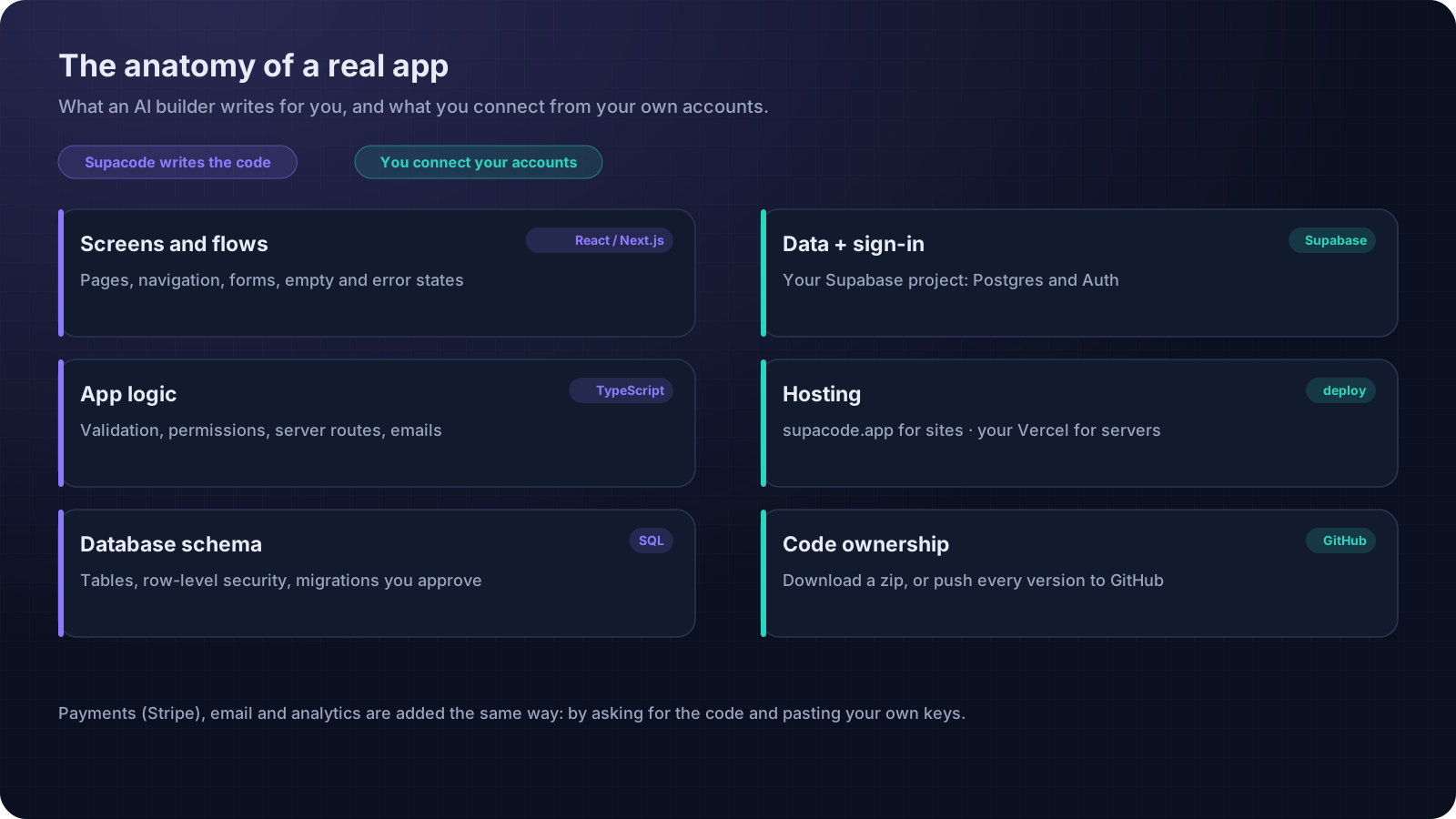
- Accounts and teams. Supabase Auth handles sign-in (docs). Ask for a teams table if customers invite colleagues.
- Data isolation. Every table needs row-level security so one customer can never read another's rows. Ask for it explicitly and test it with two accounts.
- Billing. Use your own Stripe account. Stripe Checkout is the simplest start: a hosted payment page plus a webhook that marks the account as paid. This needs server code, so it's a Next.js deploy to your Vercel.
- A front door. A landing page with pricing, a FAQ and a sign-up button. Ask for it as its own page in the same project.
Add a Pro plan at $9/month using Stripe Checkout in test mode: a pricing page, a route handler that creates a Checkout session, and a webhook route that sets profiles.plan = 'pro' in Supabase when payment succeeds. Read STRIPE_SECRET_KEY and STRIPE_WEBHOOK_SECRET from environment variables. Show Pro-only features as locked for free users.How do you test an app you didn't code?
Not writing the code doesn't excuse you from testing it. The good news is that the most valuable tests need no technical knowledge at all, just patience and a second account.
- Walk the core flow on a phone. Sign up, do the main thing, sign out, sign back in. Is your data still there?
- Try to break it. Leave fields empty, paste a very long name, double-tap the save button, lose the connection halfway.
- Use two accounts. Sign in as a second user in a private window and make sure you cannot see the first user's data. This is the single most important check for any app with accounts.
- Check the empty states. What does a brand-new user see before they have any data? It should explain what to do next.
- Use only the keyboard. Every button and field should be reachable with Tab, with a visible focus ring. Our accessibility checklist goes further.
When something fails, describe what you did and what you expected in the chat, exactly as you would to a developer. You can attach a screenshot of the problem too. Supacode checks that each build runs, and if a change breaks it, tries an automatic fix; if that fix also fails, the credits for it are refunded.
Can you build an app for free with AI?
You can build and launch a first version for $0. Here's where each free tier ends:
| Piece | Free option | Limit to know |
|---|---|---|
| Building | Supacode Free: 5 credits a day + 20 welcome credits | 3 projects, 3 live sites, small badge on published sites |
| Database and sign-in | Supabase Free | Pauses after a week of inactivity; 2 active projects (pricing) |
| Server hosting | Vercel Hobby | Non-commercial, personal use only |
| App stores | Not free | Apple $99/year, Google Play US$25 once |
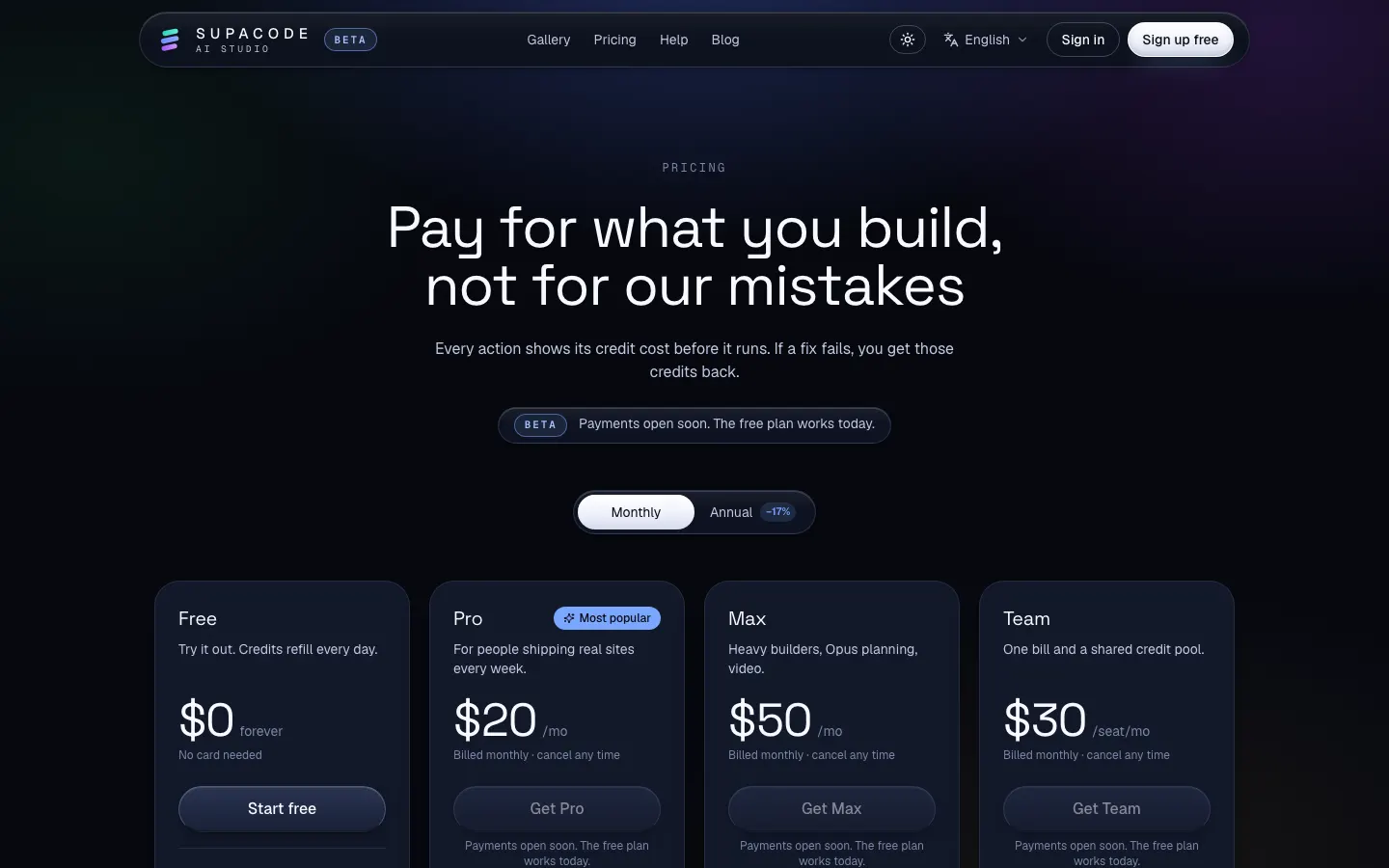
Every Supacode action shows its credit cost before it runs, copying a template is free, and if an automatic fix fails you get those credits back. See the pricing page and the credits guide.
When should you bring in a developer?
AI builders have moved the line a long way, but it still exists. Bring in a professional, or at least a second pair of eyes, when:
- You handle payments, health data or anything regulated.
- Customers depend on the app for their own business and downtime costs them money.
- You need deep integrations with systems that have no simple API.
- Performance at scale becomes a product feature.
The handover is the advantage of real code: a developer clones your GitHub repository and keeps going. Until then, keep requests small and reviewable; our prompt patterns guide shows how.
FAQ
Frequently asked questions
Can I really build an app without coding?
Yes. With an AI app builder you describe the app in plain words and the AI writes, runs and updates the code. You still make the product decisions: who it is for, what the core flow is, and what to change after testing.
How do I build an app for free with AI?
Use Supacode's Free plan (5 credits a day plus 20 welcome credits) to build and publish a web app, start from a free template if one fits, and use Supabase's free tier for data and sign-in. Commercial server hosting, app store listings and paid APIs cost money.
Can I build a SaaS product without coding?
You can build a working SaaS web app: sign-in and per-customer data with Supabase, billing with your own Stripe account, and a landing page. Payments and webhooks need server code, which Supacode writes in Next.js for you to deploy to your own Vercel.
Will my no-code app work on iPhone and Android?
Supacode builds web apps that work in phone browsers and can be made installable as a progressive web app. Listing in the App Store or Google Play requires a native wrapper and developer accounts.
Do I own the code Supacode writes?
Yes. You can read it in the Code tab, download any version as a zip, and push it to your own GitHub repository on paid plans.
What happens to my data?
When you connect Supabase, your app's data lives in your own Supabase project. Supacode keeps your app's code and versions, and database changes run only after you approve them.