How to Build an AI Agent: From Scratch to a Live App
How to build an AI agent from scratch: the agent loop, tool calling, guardrails and real costs, plus prompts to build a working agent app with AI.

By Supacode Editorial · Product and engineering
Contents
Quick answer
An AI agent is a language model running in a loop: it reads a goal, decides whether to call a tool (a function you wrote, such as search_flights or send_email), reads the result and repeats until the job is done. To build one, pick a narrow job, give the model a few clearly described tools, run the loop on a server with step limits and human approval for risky actions, and design an interface that shows what the agent is doing.
- A chatbot answers; an agent acts. The difference is tools plus a loop that lets the model decide the next step.
- Start with one job and three to five tools. Narrow agents are more reliable, cheaper and easier to test.
- Guardrails are part of the design: approval before side effects, step and spend limits, logs of every tool call.
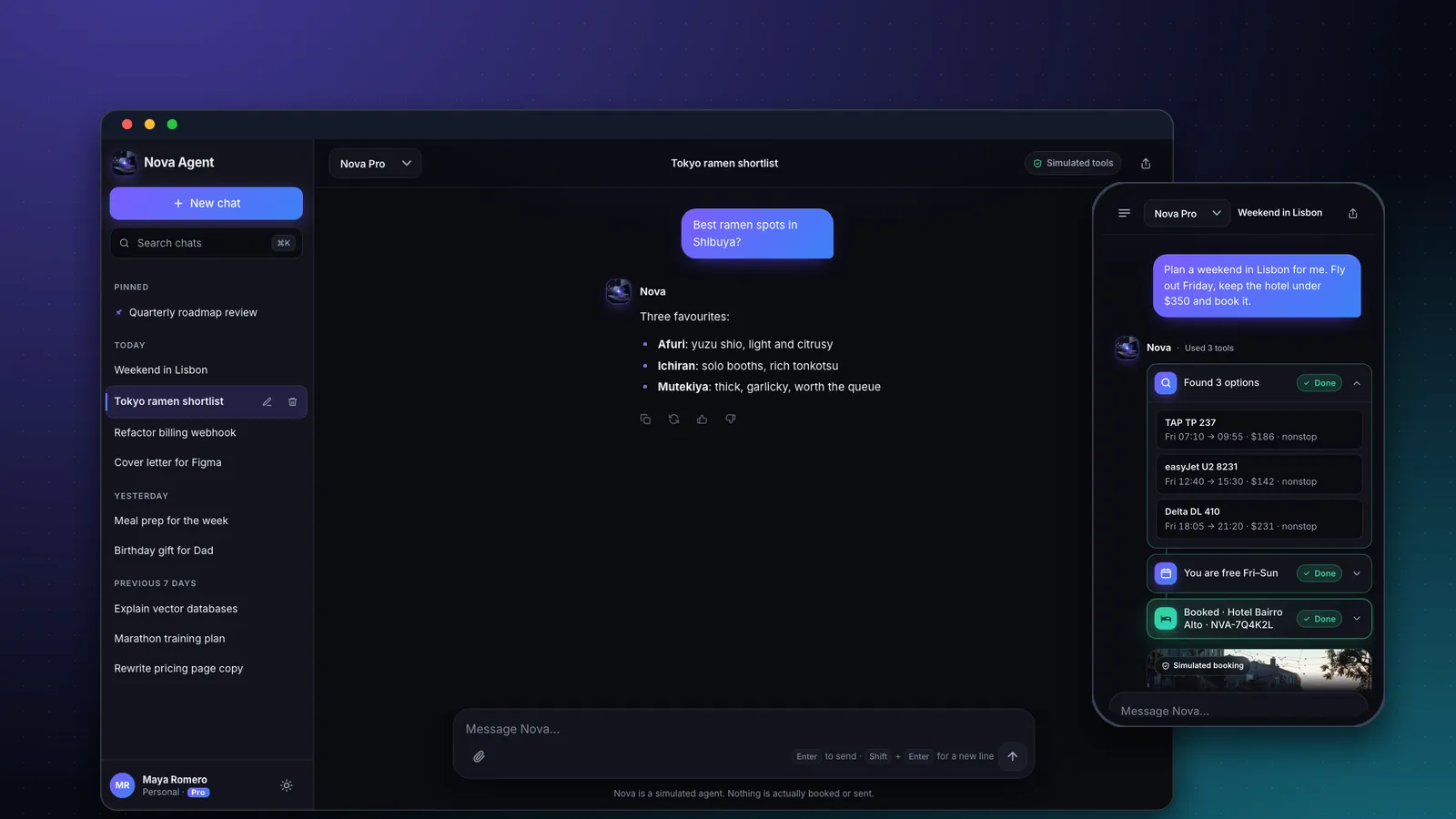
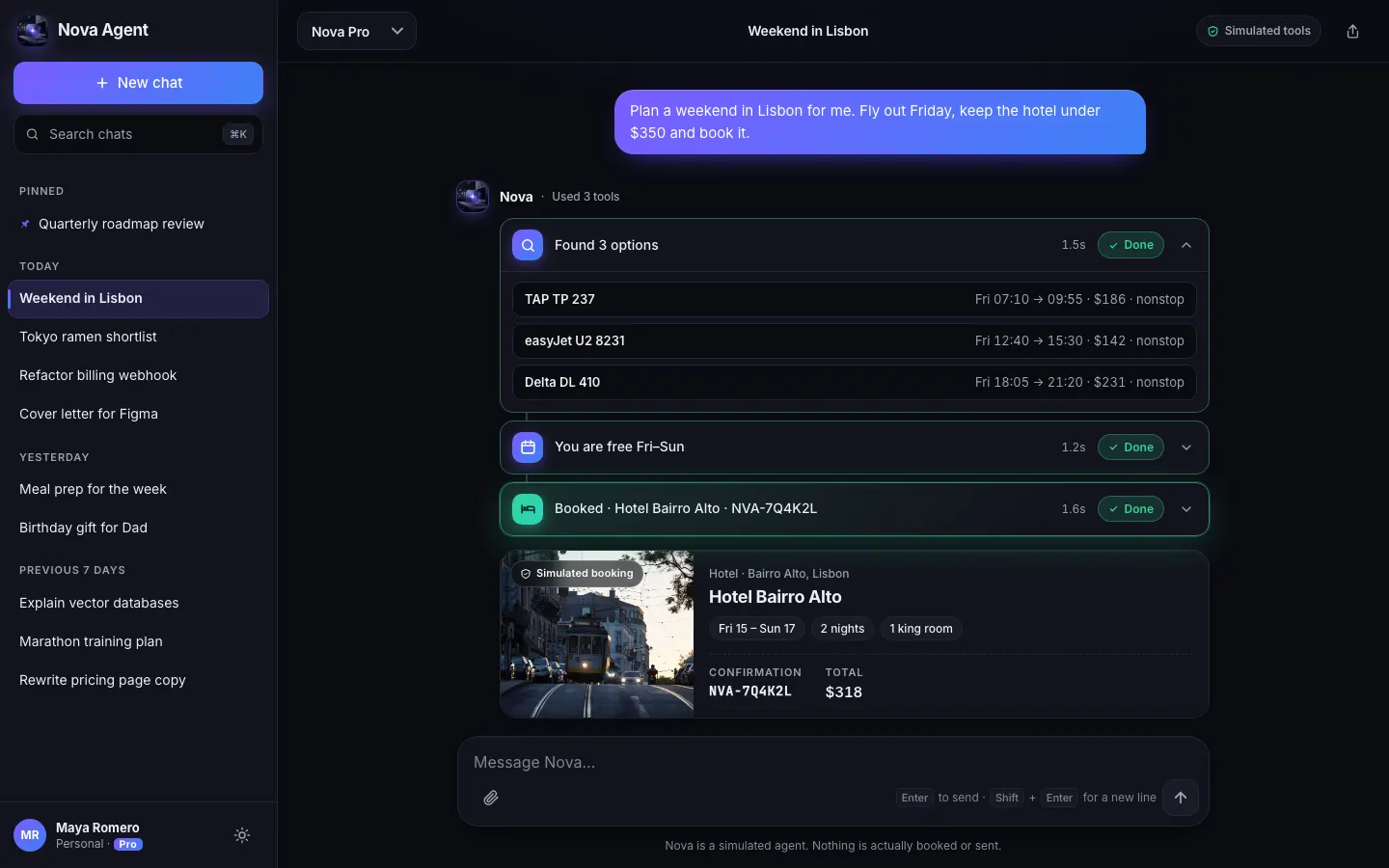
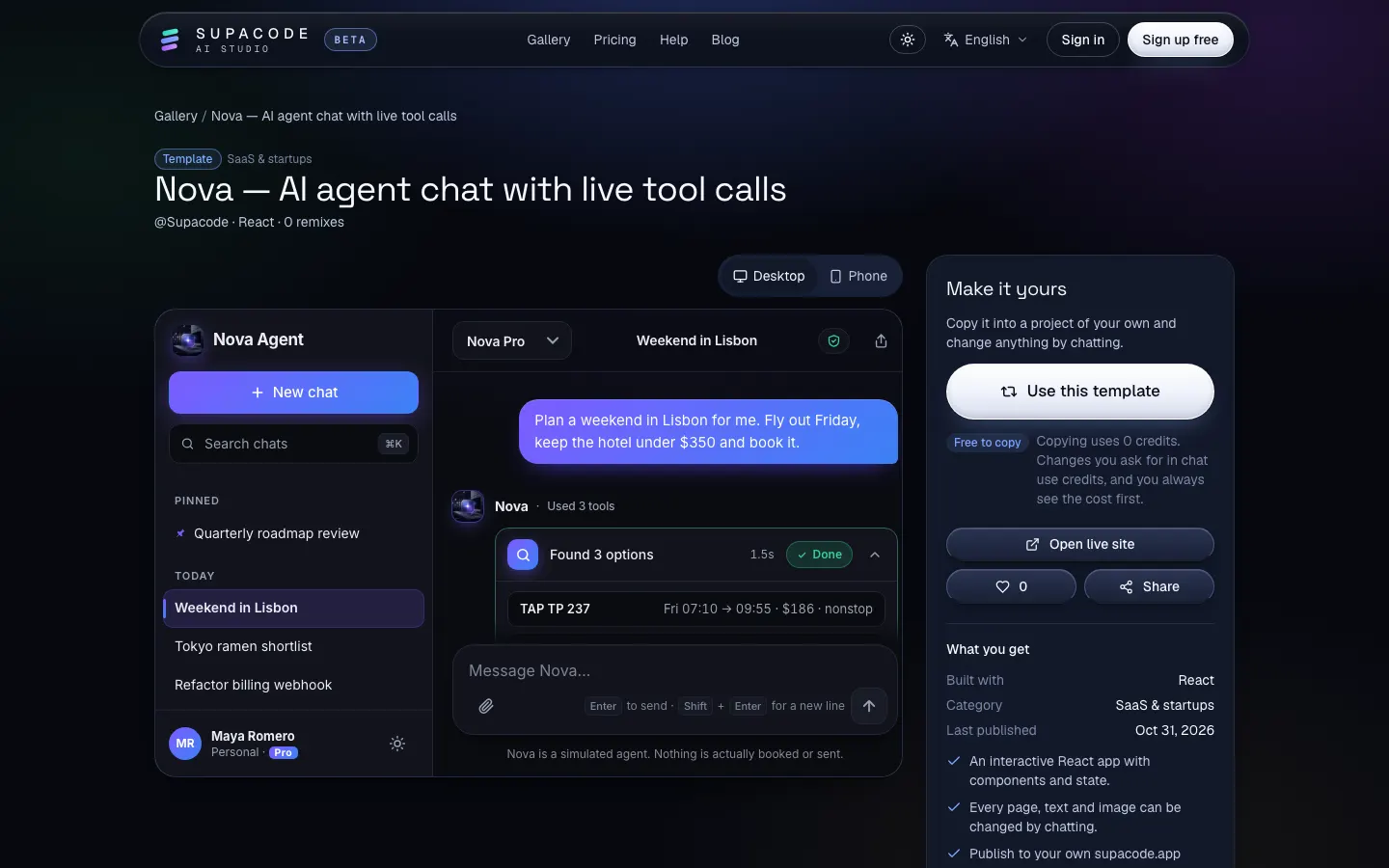
- In Supacode, the Nova template gives you an agent interface with tool cards in minutes; real tools run in a Next.js server route you deploy to your own Vercel.
What is an AI agent, really?
Ask ten companies what an “AI agent” is and you will get ten answers, most of them marketing. The most useful definition comes from the people who build the models. Anthropic's engineering team draws a clean line in its essay Building effective agents: workflows are systems where models and tools follow predefined code paths, while agents are systems where the model dynamically directs its own process and tool use.
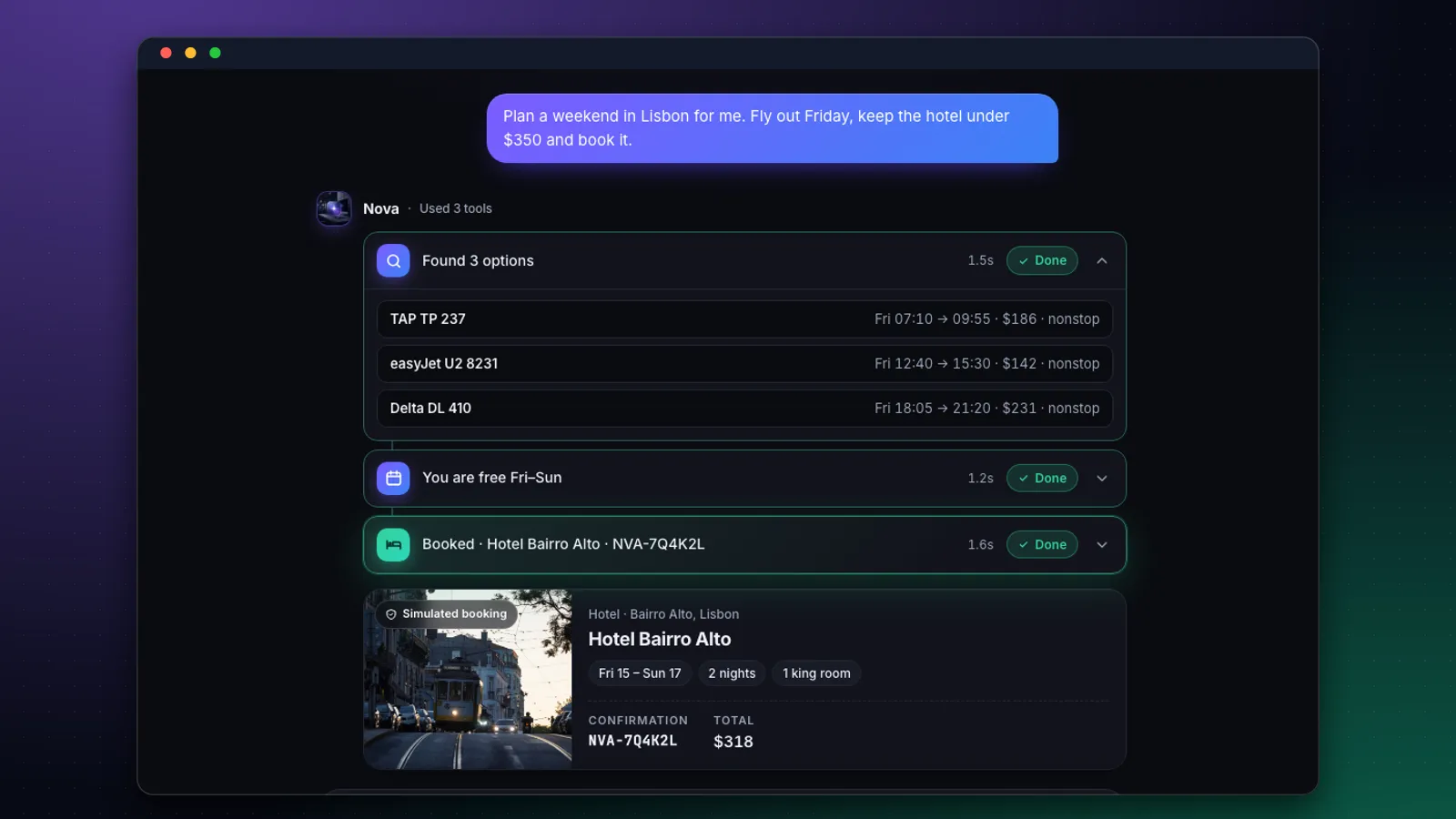
Put simply: a chatbot tells you which flights are cheapest. An agent searches the flights, checks your calendar, holds the best option and asks you to confirm. The model is the same. What changes is that you gave it hands (tools) and the freedom to decide which one to use next (the loop).
| Chatbot | Assistant | Agent | |
|---|---|---|---|
| What it does | Answers questions | Answers using your data and context | Takes steps toward a goal |
| Tools | None | Read-only (search, documents) | Read and write (book, send, update) |
| Who decides the next step | The user | Mostly the user | The model, within your limits |
| Main risk | Wrong answers | Leaking data | Wrong actions |
That last row is the whole design brief. Building an agent is less about clever prompts and more about deciding what it may do, what it must ask about, and how a human can see and undo its work.
How does an AI agent work?
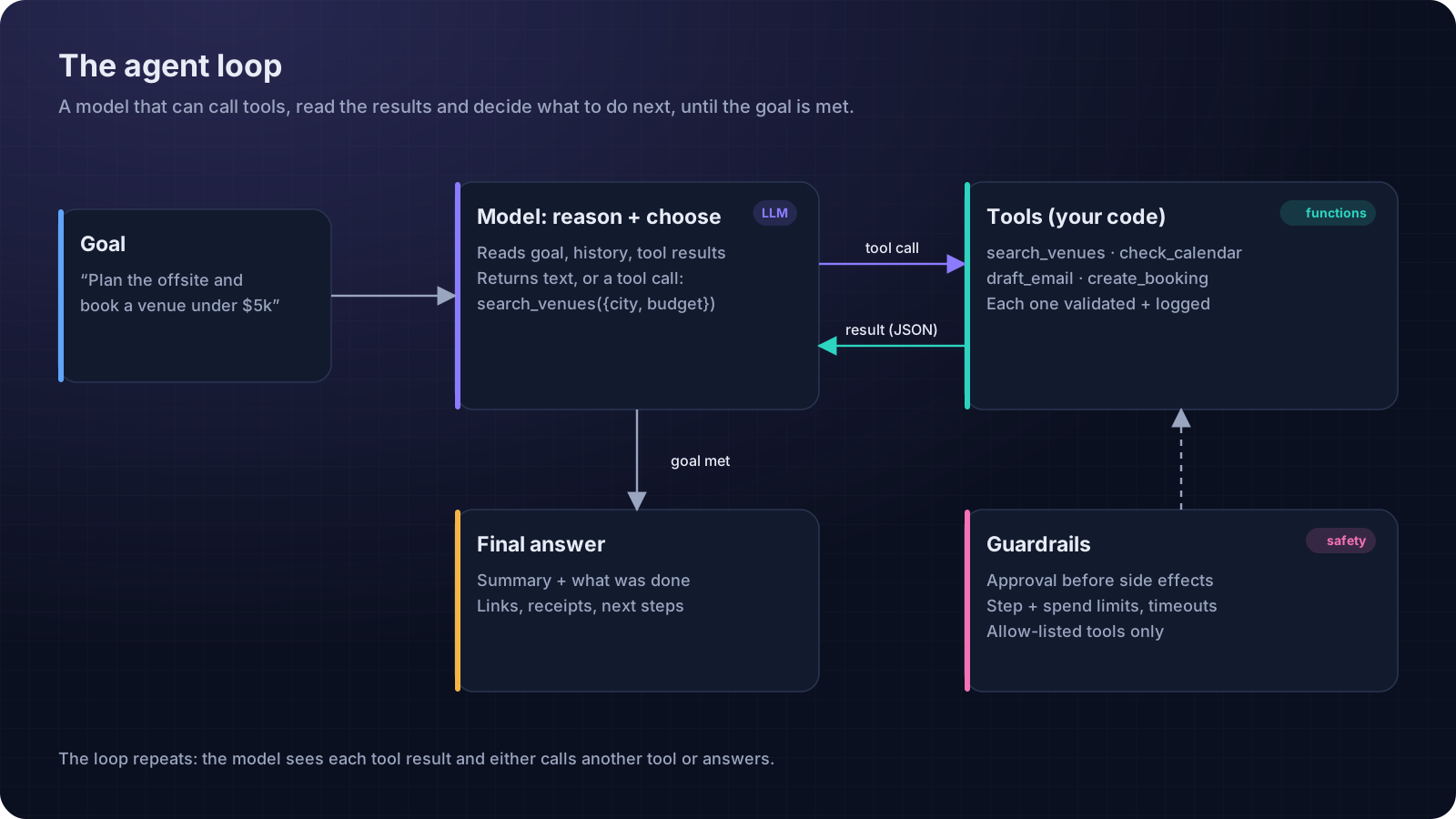
Under the hood, every major model API now supports tool use (also called function calling). You describe each tool with a name, a plain-English description and a JSON schema for its inputs. The model never runs anything itself. When it wants a tool, it replies with a structured request, for example search_venues({ city: "Lisbon", budget: 5000 }). Your code runs the function, sends the result back, and the model continues. Anthropic and OpenAI both document the pattern.
The idea of interleaving reasoning with actions was popularised by the 2022 research paper ReAct, and it is still the backbone of most agents. OpenAI's own practical guide to building agents reduces an agent to three components: a model, tools and instructions. Everything else is engineering around that loop.
One more acronym you will meet: MCP, the Model Context Protocol. It is a standard way to package tools so that many different agents can use them. You don't need it for your first agent, but it's worth knowing when you want to plug into existing tool servers.
How do you build an AI agent from scratch?
Whether you write every line yourself or have an AI builder write them, the steps are the same. Here they are in the order that saves the most pain.
1. Choose one job with a clear finish line
“Plan our team offsite and hold a venue under $5,000” is a job. “Help with operations” is not. A finish line lets the loop end, and lets you test whether it worked.
2. Write three to five tools, each doing one thing
Tool descriptions are prompts. Say what the tool does, when to use it and what it returns. Keep inputs strict, so bad calls fail loudly instead of quietly doing the wrong thing.
const searchVenues = tool({
  description: "Find event venues in a city that fit a group size and budget. Use before suggesting any venue.",
  inputSchema: z.object({
    city: z.string(),
    guests: z.number().int().min(2).max(200),
    maxBudgetUsd: z.number().positive(),
  }),
  execute: async ({ city, guests, maxBudgetUsd }) => venues.search({ city, guests, maxBudgetUsd }),
});
3. Run the loop on a server, with limits
The loop belongs on a server, where your API keys and the tools' credentials are safe. Give it a maximum number of steps, a timeout per tool, and a spending cap per task. When a limit trips, stop and explain what happened instead of trying forever.
4. Separate reading from doing
Tools that only read (search, look up, summarise) can run freely. Tools that change the world (book, pay, send, delete) should pause for a human: show the exact action and wait for Approve. OpenAI's guide recommends planning for exactly this kind of human intervention on high-risk actions.
5. Log every step and test with real tasks
Store each tool call, its input, its output and its timing. Then write ten realistic tasks, including a few nasty ones, and run them after every change. That list is your test suite.
What should an AI agent's interface look like?
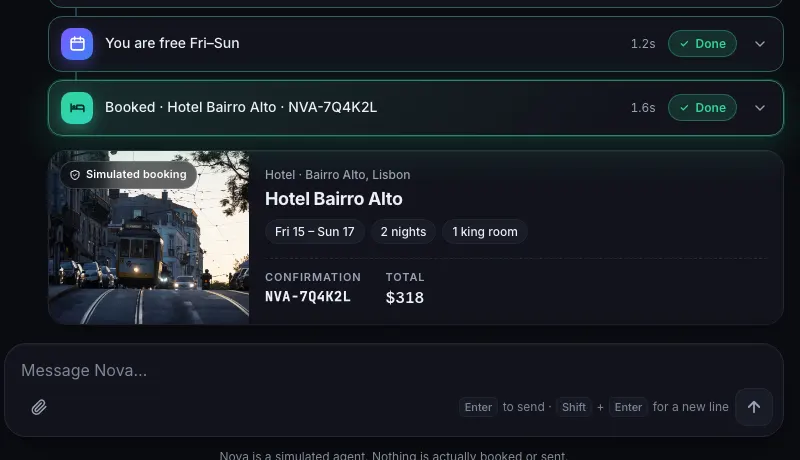
A chatbot can get away with a text box. An agent cannot, because users need to trust actions they did not take themselves. The best agent interfaces share a few habits: every tool call is visible as a card with a name, a status and a duration; results are structured (a flight list, a booking summary) rather than paragraphs; and anything irreversible asks first.
How do you build an AI agent app with Supacode, step by step?
Supacode is an AI app builder: you describe what you want in a chat, it writes real React or Next.js code, shows it running live and saves every change as a version. Here is a path from an empty account to a working agent.
Step 1: Start from the Nova template
Press Use this template on the Nova page. Copying costs 0 credits and gives you your own project to change by chatting. Or start from a prompt:
Build an AI agent app called Relay that plans team offsites. A chat where each reply shows the tools it used (search venues, check calendars, draft an email) as expandable cards with status and timing, plus an approval step before anything is booked. Simulate the tools with realistic sample data, and label simulated actions clearly.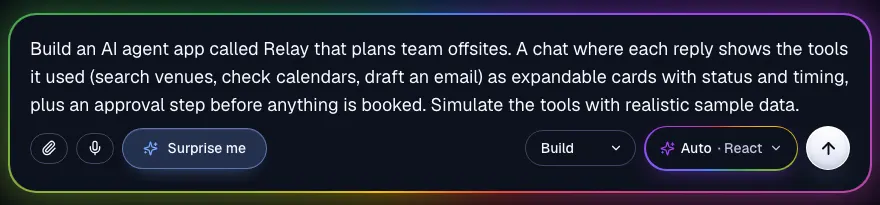
Step 2: Make the tools match your job
Replace the travel tools with four offsite tools: search_venues(city, guests, budget), check_calendars(team, dateRange), estimate_costs(venueId, guests) and draft_invite(venueId, dates). Each card should show its inputs when expanded. Keep the results simulated.Step 3: Add the approval step
Before any action that books, pays or sends, show a confirmation card with the exact action, the cost and Approve / Edit / Cancel buttons. Nothing happens until Approve is pressed. Log approvals in the conversation.Every one of these requests is saved as a version. If a change goes sideways, use Undo in the chat or restore a version from the Versions tab (guide).
Step 4: Publish and test with real people
Publish the simulated agent to your supacode.app address and watch five people try to use it. You will learn more about which tools matter, and where the approval step feels annoying or reassuring, than from any amount of prompt tuning.
Step 5: Make the tools real
Real tools need secrets (API keys for your calendar, booking or email providers) and a model key, so they must run on a server. Create the production version as a Next.js project and ask for the loop:
Add app/api/agent/route.ts: a Next.js route handler that runs a tool-calling loop with the AI SDK and the Anthropic API (key in process.env.ANTHROPIC_API_KEY). Implement the four tools as server functions, stop after 8 steps or 60 seconds, never run a write tool without an approval token from the client, stream each tool call and result to the UI, and save every step to a Supabase table called agent_steps.Because the project now has a server route, the Publish menu offers Deploy to my Vercel. Add your keys as environment variables in that Vercel project, connect your own Supabase in the Backend tab for the step log, and approve the migration Supacode writes before it runs (how).
How much does an AI agent cost, and how long does it take to build?
Agents are more expensive per task than chatbots, because every step resends the context. A six-step task that sends about 3,000 input tokens and gets 300 output tokens per step costs:
| Model | Per step | Per task | 1,000 tasks |
|---|---|---|---|
| Claude Haiku 5.5 | ≈ $0.00045 | ≈ $0.0027 | ≈ $2.70 |
| Claude Sonnet 5.5 | ≈ $0.009 | ≈ $0.054 | ≈ $54 |
| Claude Opus 5.5 | ≈ $0.018 | ≈ $0.108 | ≈ $108 |
Prices come from Anthropic's pricing page; always recheck before budgeting. Tool APIs (search, maps, booking) often cost more than the model, so count them too.
| Stage | With Supacode | Typical hand-coded |
|---|---|---|
| Clickable agent prototype with simulated tools | An hour or two | Several days |
| One real tool, approval step, deployed | A day | One to two weeks |
| Production agent with logging, tests and limits | One to three weeks | One to three months |
The interface work collapses with an AI builder. The tool integrations and the testing do not, and you shouldn't want them to.
What can go wrong with AI agents, and how do you prevent it?
- Runaway loops. Cap steps, time and spend per task. Unbounded consumption is also on the OWASP list.
- Silent failures. If a tool errors, show it in the interface and let the model decide whether to retry or ask for help.
- Irreversible actions. Require approval, prefer actions that can be undone (holds, drafts) over final ones (payments, sends).
- Unclear accountability. Show who approved what and when. Your logs are your audit trail.
None of this is exotic. It is the same discipline good software has always needed, applied to a component that makes decisions.
FAQ
Frequently asked questions
What is the difference between an AI agent and a chatbot?
A chatbot answers questions. An agent can call tools (functions that search, book, send or update) and decides on its own which step to take next, in a loop, until a goal is met.
Can I build an AI agent without coding?
You can build the agent's interface and a simulated version without writing code by describing it to an AI app builder such as Supacode. Real tools need API keys and a server; Supacode can write that Next.js code for you, and you deploy it to your own Vercel account.
Which model is best for an AI agent?
Use the smallest model that completes your test tasks reliably. Many teams route simple steps to a fast, cheap model and hard reasoning to a larger one. Test with your own tasks rather than benchmarks.
Does the Nova template call a real AI model?
No. Nova's tool calls and results are simulated with sample data, and the app labels them as simulated. It is a starting point for the interface; real tools and model calls run in a server route you add.
How do I stop an AI agent from doing something harmful?
Give tools minimal permissions, require human approval before any action with side effects, cap steps, time and spend, treat tool results as untrusted input, and log every step so you can review and undo.
What is MCP and do I need it?
The Model Context Protocol is a standard for packaging tools so many agents can use them. It's useful when you want to connect existing tool servers, but you don't need it for a first agent with a handful of your own tools.