How to build a TikTok-style app without code
Copy the free Looply template, reshape the vertical video feed by chatting, and publish it — plus what a real short-video product still needs.

By Supacode Editorial · Product and engineering
Contents
Quick answer
- You can build a TikTok-style app without code by starting from Supacode's free Looply template: a React short-video feed with swipe, like, comment, save and share.
- Copying the template uses 0 credits; every change after that is a chat message, and Supacode shows the credit cost before it runs.
- Looply is a working front end with sample content. Real accounts, uploads and saved likes need a backend such as your own Supabase project.
- Publish to your own supacode.app address in one click, and keep every change as a version you can restore.
What makes an app feel like TikTok?
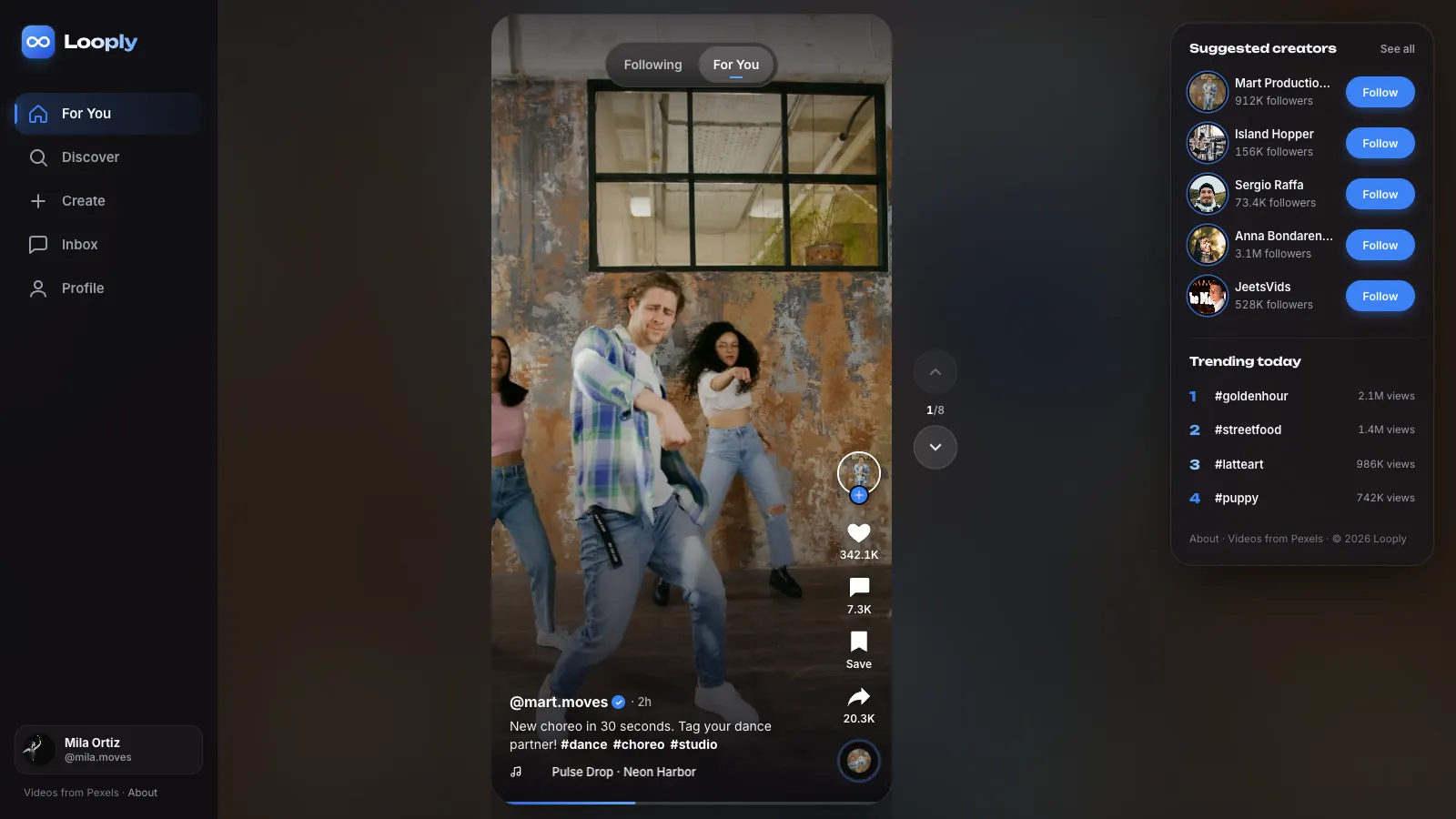
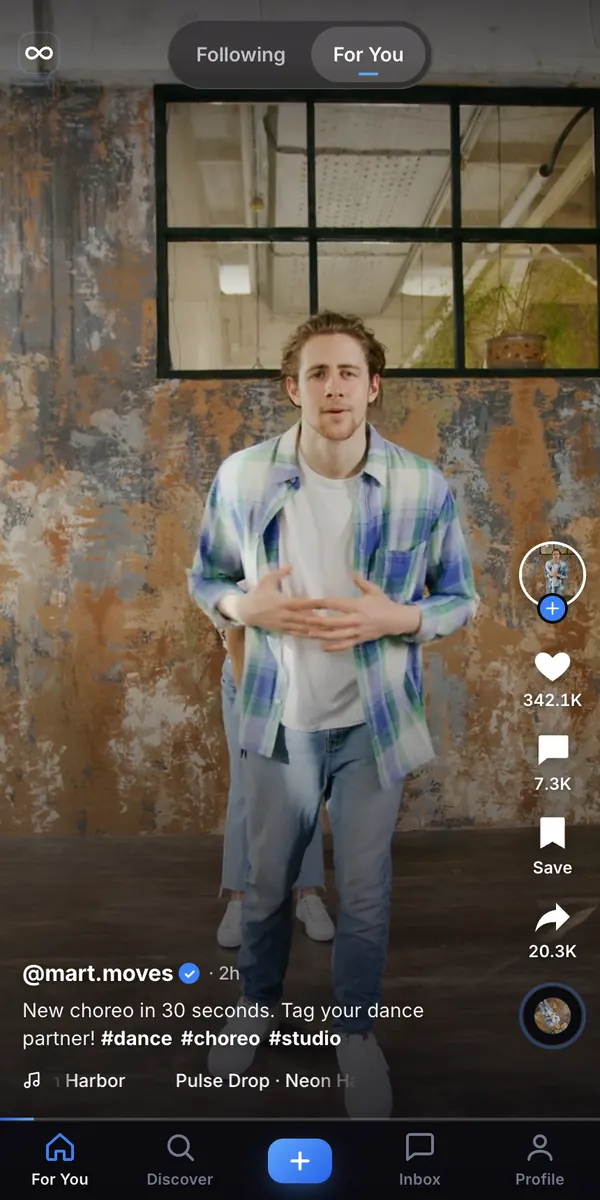
Open any short-video app and the pattern is the same within a second: one full-height video at a time, a thumb flick to the next, and a column of actions on the right edge. The interface disappears so the clip can fill the screen. That pattern is now so familiar that people expect it anywhere video is the main content — a dance studio's class reels, a restaurant's kitchen clips, a travel brand's highlights.
Building that from scratch used to mean a front-end developer, a few weeks and a lot of fiddly details: snapping each video into place, starting playback only when a clip is on screen, keeping sound off until the viewer asks for it, and making it all work on a phone held in one hand.
Supacode, an AI app builder by Transcend Technologies, lets you skip the blank page. You describe the app in plain words and it writes real HTML, React or Next.js code, runs it live in a preview and saves each change as a version. For a short-video app, the fastest route is not a prompt at all. It is a template.
Why start from the Looply template instead of a blank prompt?
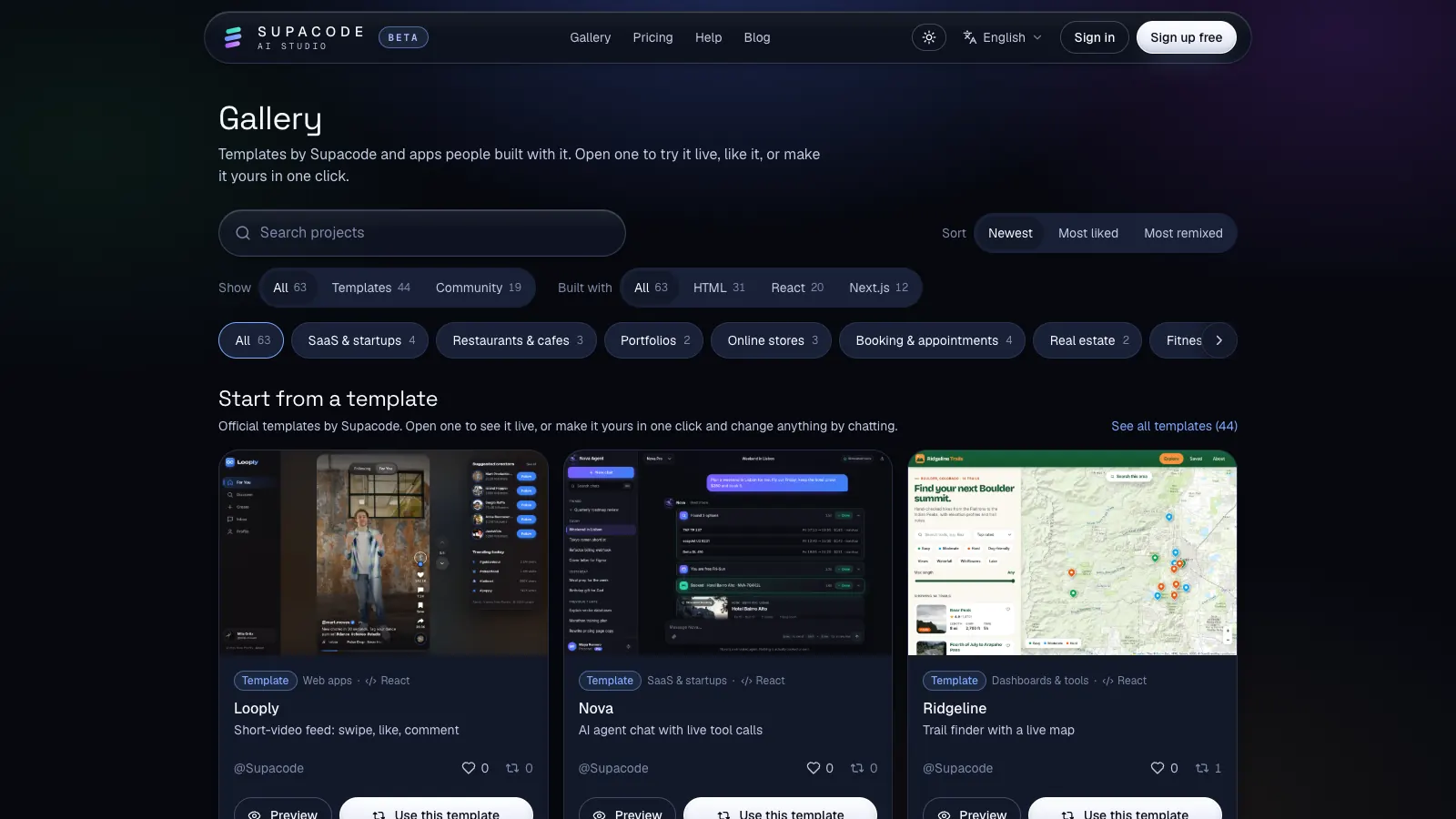
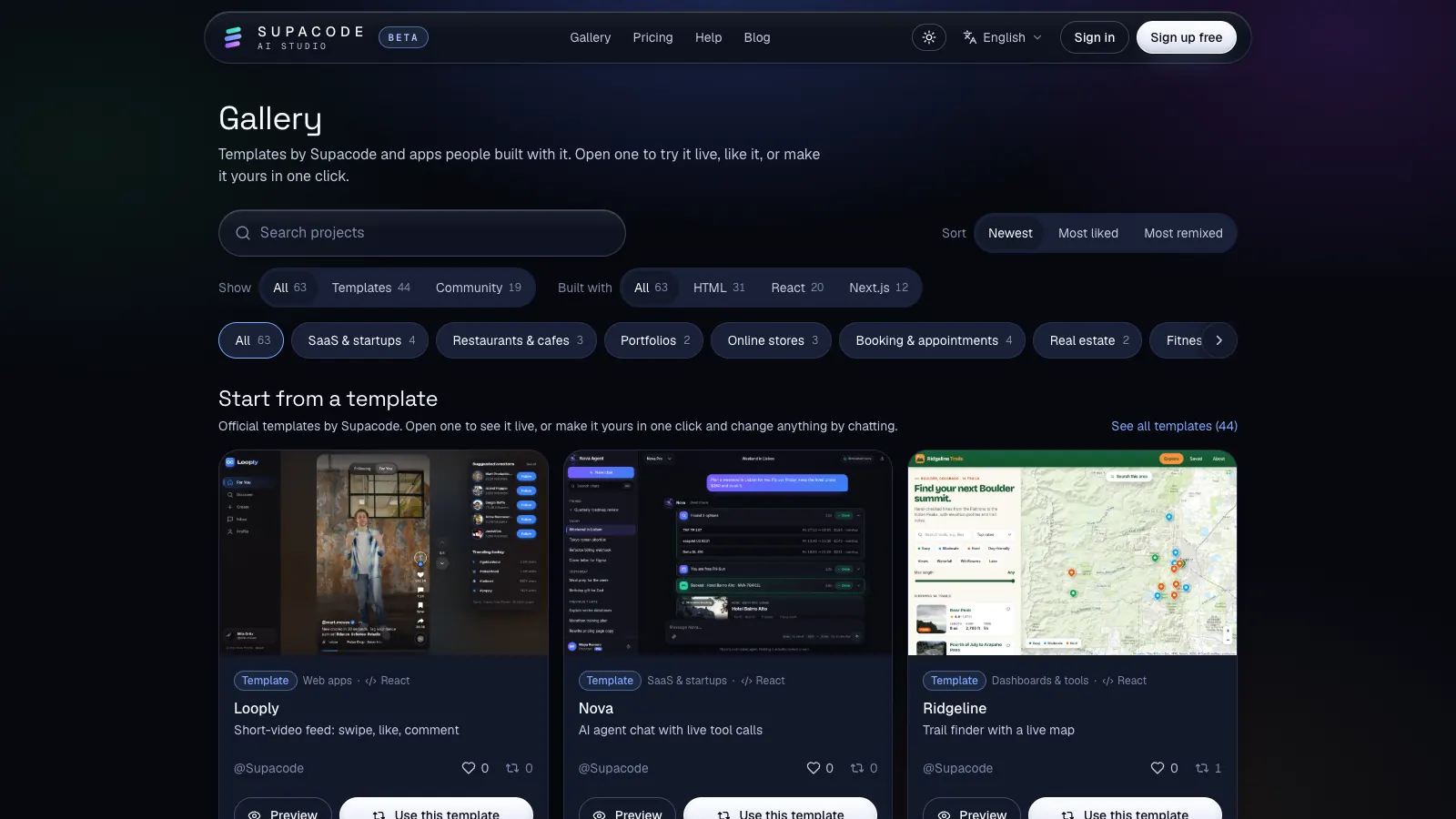
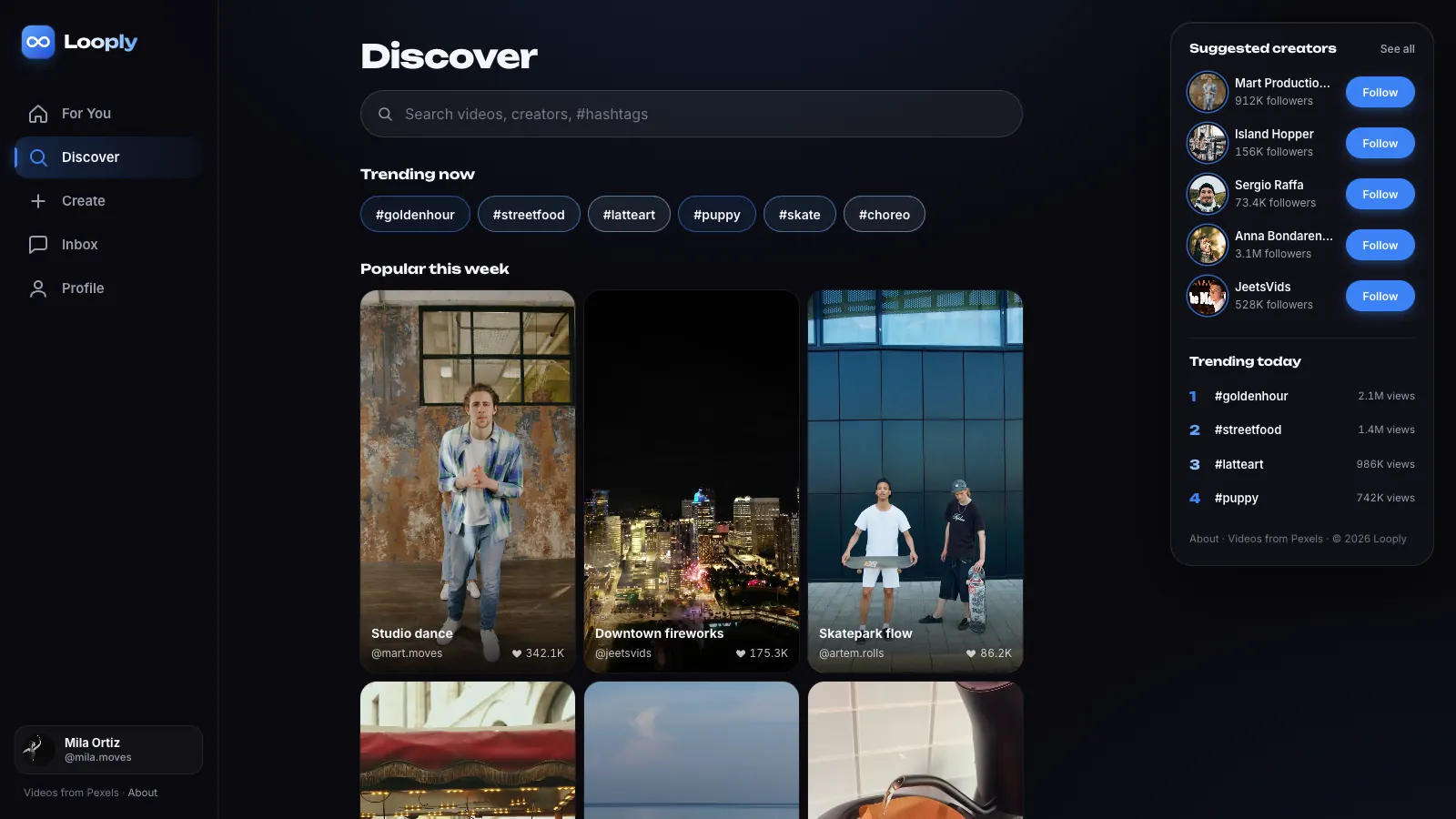
Looply is one of Supacode's official showcase templates, listed first in the gallery. It is a React app with a For You feed, a Following tab, a Discover page with trending hashtags and a grid of popular clips, plus Create, Inbox and Profile screens. You can open the live version at looply.supacode.app before you touch anything.
A template gives the AI a finished, coherent app to change rather than a description to interpret. Asking for “make the action buttons bigger and add a Remix button” is a small, reviewable edit. Asking for “build me TikTok” is a hundred decisions made at once. Smaller requests are easier to check and cheaper in credits.
It is also honest about what it is. Looply's About page says it plainly: the accounts, comments and counts are made up for the showcase, and every clip comes from Pexels with a credit to its filmmaker. You start from a convincing prototype, not from a product with users.
How do you copy Looply into your own project?
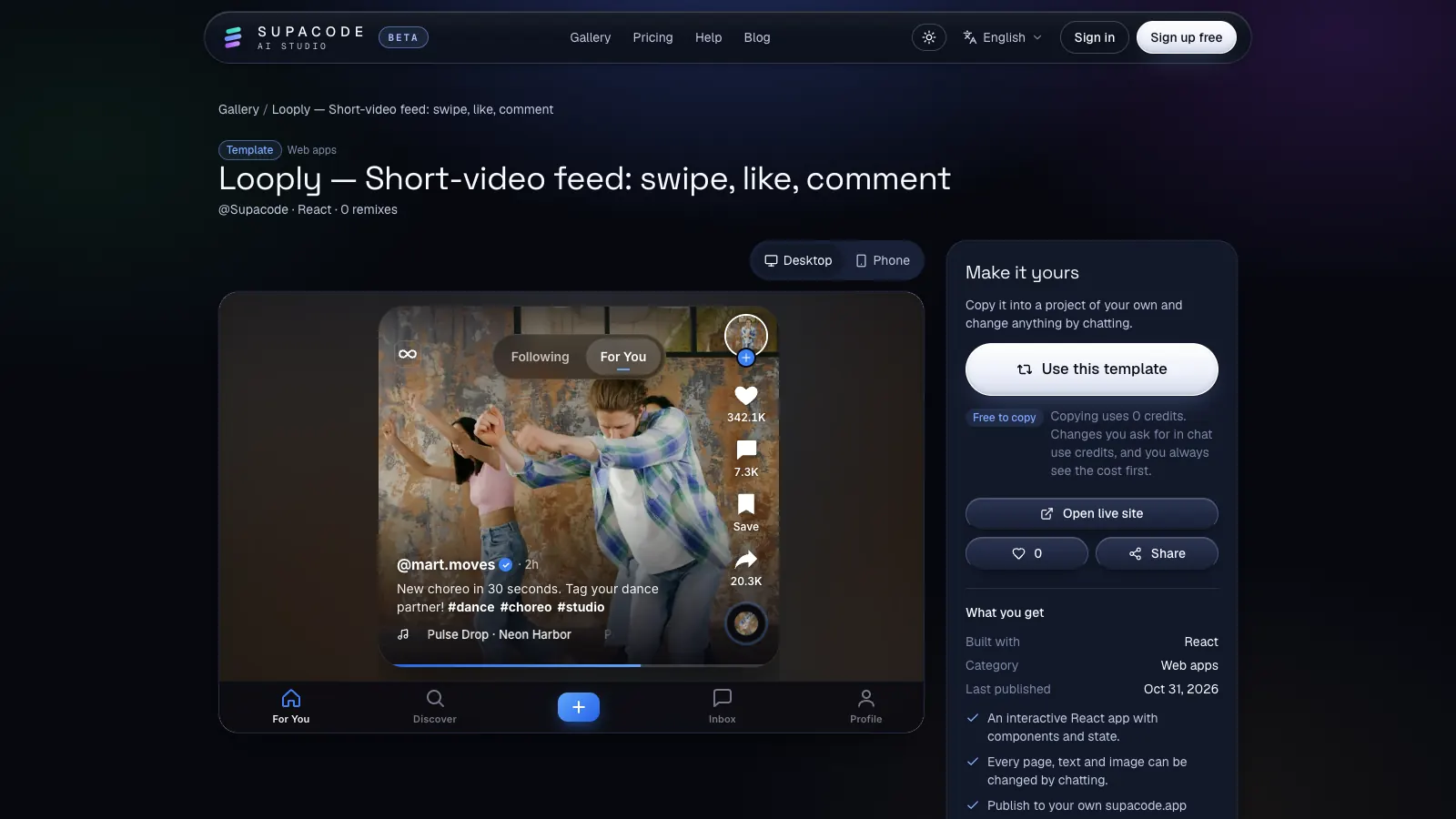
Copying is the part people expect to be complicated. It is one button. The template page shows a desktop and a phone preview side by side with what you get: the stack (React), the category and a “Free to copy” note.
A template in Supacode is a public project you can copy into your own account and change by chatting; the copy is yours and the original stays untouched.
- Open the gallery and choose Looply, or go straight to the Looply template page.
- Switch the preview between Desktop and Phone to see both layouts, or press Open live site to try the real thing.
- Press Use this template. If you're not signed in, you'll be asked to sign in or create a free account first.
- Supacode copies the template's latest version into a new project of your own and opens it in the studio. Copying uses 0 credits.
How do you turn Looply into your own app by chatting?
Everything in the copy can be changed in the chat: pages, text, images and behaviour. Work in small, testable steps. Each request becomes a new version, and the preview refreshes on its own after every turn, so you can judge the result straight away.
Before anything runs, Supacode shows what the request will cost in credits. If an automatic fix fails, those credits come back, and repeating an identical request within a few minutes doesn't charge you twice. Credits and pricing explained covers the details.
Here is a sequence that turns the demo into a branded app for, say, a dance school:
- Brand: “Rename the app to StepUp, use a deep purple accent and replace the infinity logo with a simple shoe icon.”
- Content: “Replace the sample creators with three teachers (Ana, Joon and Priya) and write captions about beginner hip-hop, contemporary and salsa classes.”
- Navigation: “Rename Discover to Classes and show the hashtags as class styles; keep the popular clips grid.”
- A new action: “Add a Book a class button under Share that opens a sheet with three time slots.”
- Check the details: “Make sure every action button has an accessible label and that the feed still works with the keyboard arrow keys.”
What's under the hood of a vertical video feed?
It helps to know what the template already does well, so you don't undo it by accident. We inspected the live Looply build; this is what the code does today.
The feed is a scroll container with scroll-snap-type: y mandatory, so every swipe lands exactly on one clip — the browser does the snapping, not JavaScript. Each clip is a <video> element that is muted, loop and playsinline. Muted matters because mobile browsers only allow video to start on its own without sound; playsinline keeps iPhones from jumping into full-screen playback.
Each video uses preload="metadata" and a poster image, so the page doesn't download eight clips up front; it fetches a frame and the duration, then streams the clip you're actually watching. The source files are 720×1280 portrait MP4s, a sensible size for phones. The action buttons carry labels such as “Like, 342.1K likes”, so screen readers announce more than an icon.
When you ask for changes, say what must stay: “keep the scroll snapping, muted autoplay and the posters.” Naming the constraint is the single most useful habit when you edit a working app with AI — we wrote more about it in prompt patterns that help an AI builder make better decisions.
What does it take to turn the demo into a real product?
This is where honesty saves you weeks. Looply's likes, follows and comments live in the page's memory: reload and they reset. That is fine for a pitch, a portfolio piece or a brand microsite. It is not a social network.
A real short-video product needs four things the template doesn't pretend to have: accounts, a database for likes, follows and comments, file storage for uploaded videos, and a way to keep the feed safe. Supacode connects to your own accounts for the first three. In the studio's Backend tab you can connect your own Supabase project, which gives an app a real Postgres database and sign-in; the AI writes the database changes and nothing runs until you approve each one. Your data stays in your Supabase project. Connect GitHub and Supabase walks through it.
Uploaded video needs storage built for large files. Supabase Storage is one option that sits alongside the same project; a dedicated video service is another once you need transcoding into several sizes. Whatever you pick, plan for it before you invite users, because video is the expensive part of the bill.
The fourth piece is not technical. If strangers can upload, you need reporting, moderation and a policy for copyrighted music and clips. The template's own credits show the right instinct: Looply uses only clips whose licence allows it and names every filmmaker.
A TikTok-style app is a vertical, full-screen video feed that snaps one clip at a time, autoplays muted and keeps actions within thumb reach.
- Prototype or brand reel: the template as it is, with your own clips and copy.
- Members-only video library: add sign-in and a database through your own Supabase project.
- Open uploads from the public: add storage, upload limits, reporting and moderation before launch.
FAQ
Frequently asked questions
Can I really build a TikTok-style app without writing code?
Yes, for the app itself. Copy the free Looply template in Supacode and change it by describing what you want in chat. A public platform with uploads still needs a backend, storage and moderation, which you connect and configure.
Is the Looply template free?
Copying Looply into your own project uses 0 credits. Changes you ask for in chat use credits, and Supacode shows the cost before each one runs.
Which stack is Looply built with?
Looply is a React app. React suits interactive apps that run in the browser, such as a feed with lots of state; Supacode picks Next.js when an app needs a server for sign-in, saved data or payments.
Can users upload their own videos?
Not in the template as shipped: it plays sample clips from Pexels. To accept uploads you need accounts, a database and file storage, for example in your own Supabase project, plus moderation.
Can I use the Looply videos in my own app?
The clips come from Pexels, whose licence allows free use with some restrictions. Check the Pexels licence for your use, and replace them with your own footage for a real brand.
Sources
- CSS scroll snap · MDN Web Docs
- The Video Embed element (<video>) · MDN Web Docs
- Autoplay guide for media and Web Audio APIs · MDN Web Docs
- Storage · Supabase Docs
- Pexels license · Pexels