How to build a website like Amazon: ecommerce from scratch
Build an ecommerce website like Amazon: catalog, cart, secure checkout and orders explained, compared with Shopify, plus prompts to build one using AI.

By Supacode Editorial · Product and engineering

Contents
Quick answer
- A website like Amazon is a catalog, search, a cart, a secure checkout, an order system and fulfilment; Amazon adds third-party sellers, reviews and recommendations at enormous scale.
- Build the smallest version that can take one real order: product pages, a cart, a hosted payment page, a webhook that creates the order, and an order history.
- Let the server decide prices and a hosted checkout handle cards, so card numbers never touch your code and your PCI scope stays small.
- With Supacode you can start from the free Oddlot Market template, a multi-vendor Next.js marketplace, or describe your store from scratch, then connect your own Supabase project and payment provider to sell for real.
What is a website like Amazon actually made of?
Open Amazon and you see a search box. Behind it sit decades of decisions: a catalog where one product can have dozens of variants, a cart that remembers you across devices, a checkout that charges you once even when you double-click, warehouses that know where every item is, and a marketplace where independent sellers list next to Amazon's own stock. Reviews, recommendations and delivery promises sit on top.
You are not going to rebuild that, and you should not try. What you can build, quickly, is the same skeleton at the size of your business: a catalog people can browse and search, product pages that rank on Google, a cart and checkout that never lose an order, and a back office to ship what sold. Everything else is a later release.
This guide explains the parts that matter, compares building from scratch with platforms such as Shopify, and shows how to build an ecommerce website using AI with Supacode, an AI app builder that writes real HTML, React or Next.js code from a chat.
Do you need an online store or a marketplace like Amazon?
The word Amazon covers two businesses. Decide which one you are building before anything else.
- A single-brand store sells your own products. One inventory, one payout, one return policy. Most businesses need this.
- A multi-vendor marketplace sells other people's products and takes a commission. Each seller needs an account, a dashboard, listings you may need to review, and payouts, which means a platform payments product such as Stripe Connect.
- Amazon-scale retail adds warehouses, logistics, ads and machine-learning recommendations. That is a destination, not a starting point.

Which ecommerce features do you need for the first release?
Ship the path from product to paid order, then improve it with real customers.
- First release: home page, category or catalog page with filters, product pages with photos, variants (size, colour) and stock, cart, hosted checkout, order confirmation page and email, order history, simple admin to add products and mark orders shipped.
- Soon after: customer accounts, discount codes, shipping rates by zone, taxes, abandoned-cart emails, reviews from verified buyers, returns.
- Marketplace additions: seller sign-up and verification, seller dashboards, commission and payouts, dispute handling.
- Later: search with typo tolerance and synonyms, recommendations, wish lists, subscriptions, multi-currency.
How does a secure ecommerce checkout work?
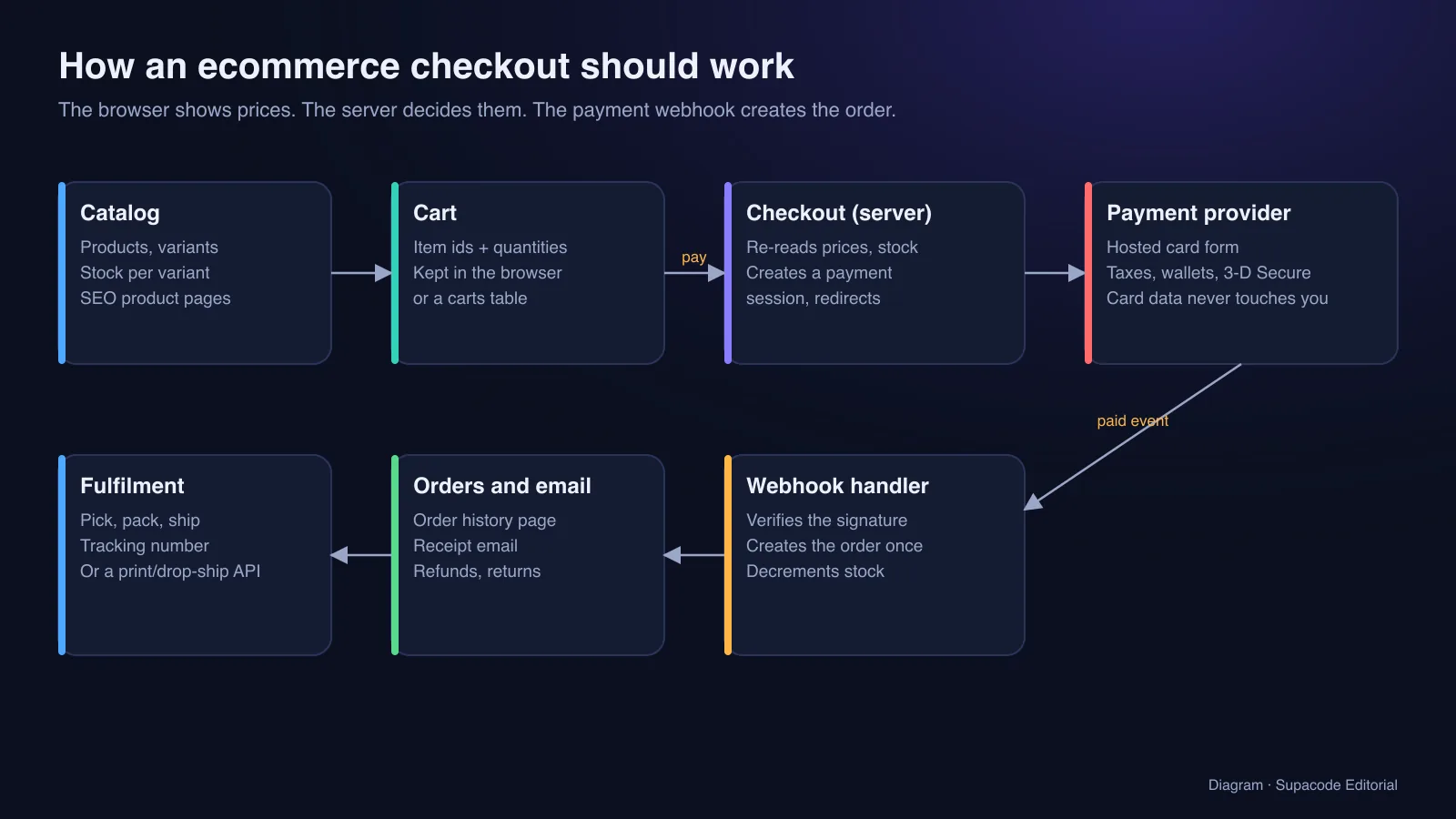
One rule prevents most ecommerce bugs: the browser shows prices, the server decides them. A cart in the browser should hold only product ids and quantities. When the customer presses Checkout, your server re-reads every price and the stock from the database, applies discounts and shipping, and creates a payment session for that exact total.
Send the customer to a hosted payment page such as Stripe Checkout. It handles cards, wallets and bank verification steps, and card numbers never touch your servers, which keeps your PCI DSS burden small; Stripe's security guide explains what remains your responsibility. When the payment succeeds, the provider calls your webhook. Verify its signature, create the order exactly once (the same event can arrive twice), decrement stock and send the receipt. Never create orders from the success page alone: people close tabs.
Inventory needs the same care as money. Two customers can buy the last item at the same moment, so decrement stock inside a database transaction and decide what happens when it hits zero: refuse the second order, or allow a backorder and say so.
Should you build from scratch, use Shopify or build using AI?
There is no single right answer; there is a right answer for your stage. Compare on control, speed and what you will maintain.
- From scratch, by hand: total control over design, data and features. Slowest to launch, and you own every security update, payment edge case and outage.
- A hosted commerce platform such as Shopify: checkout, payments, taxes, inventory and an app store out of the box, for a monthly fee plus payment costs. Design and data model follow the platform's rules.
- An AI app builder such as Supacode: a custom store or marketplace generated as real code you can read, change by chatting, download as a zip or push to GitHub on paid plans. Fast to a working, unique front end; you choose and connect the database and payment provider yourself.
How do you build an ecommerce website using AI, step by step?
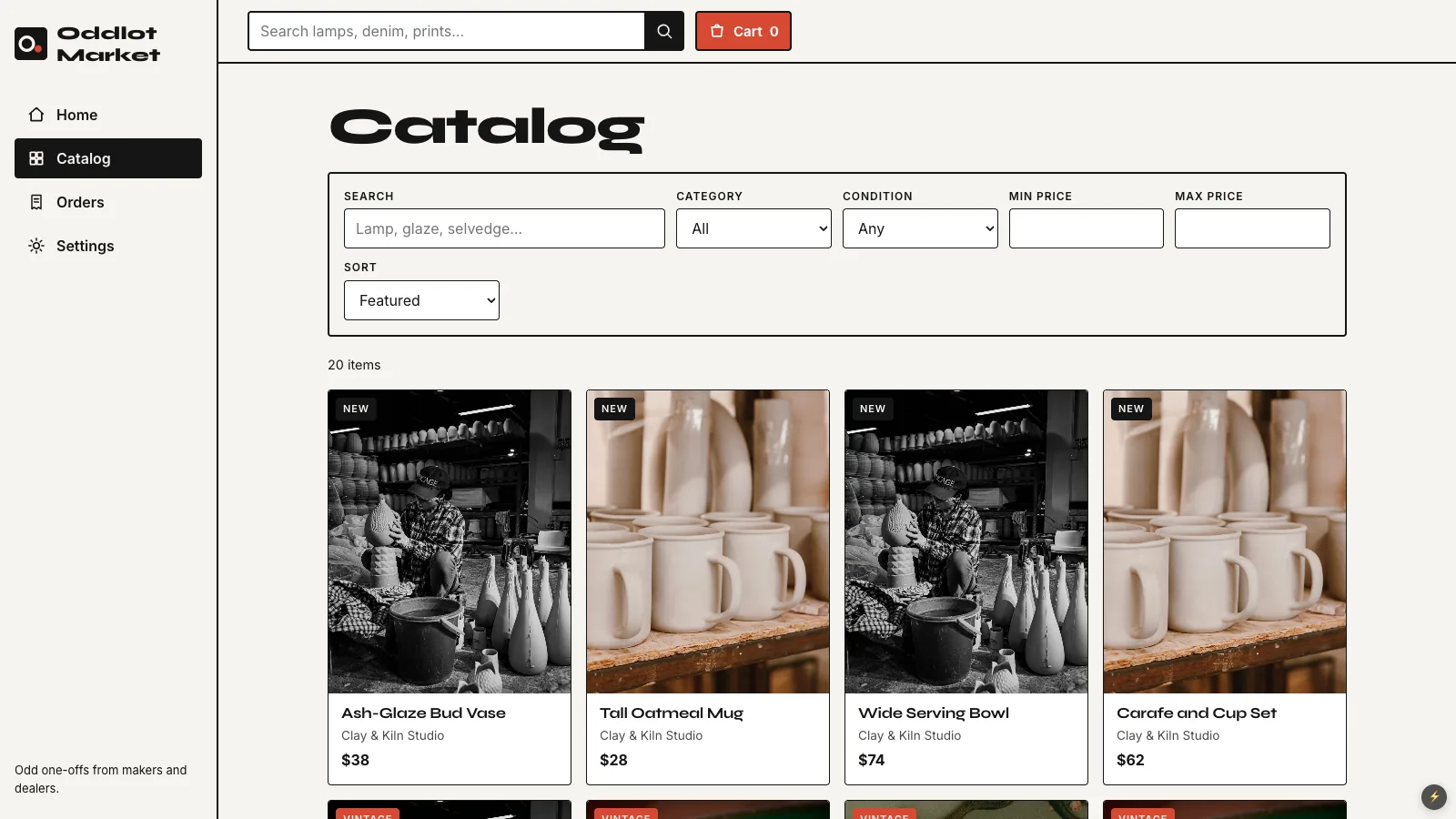
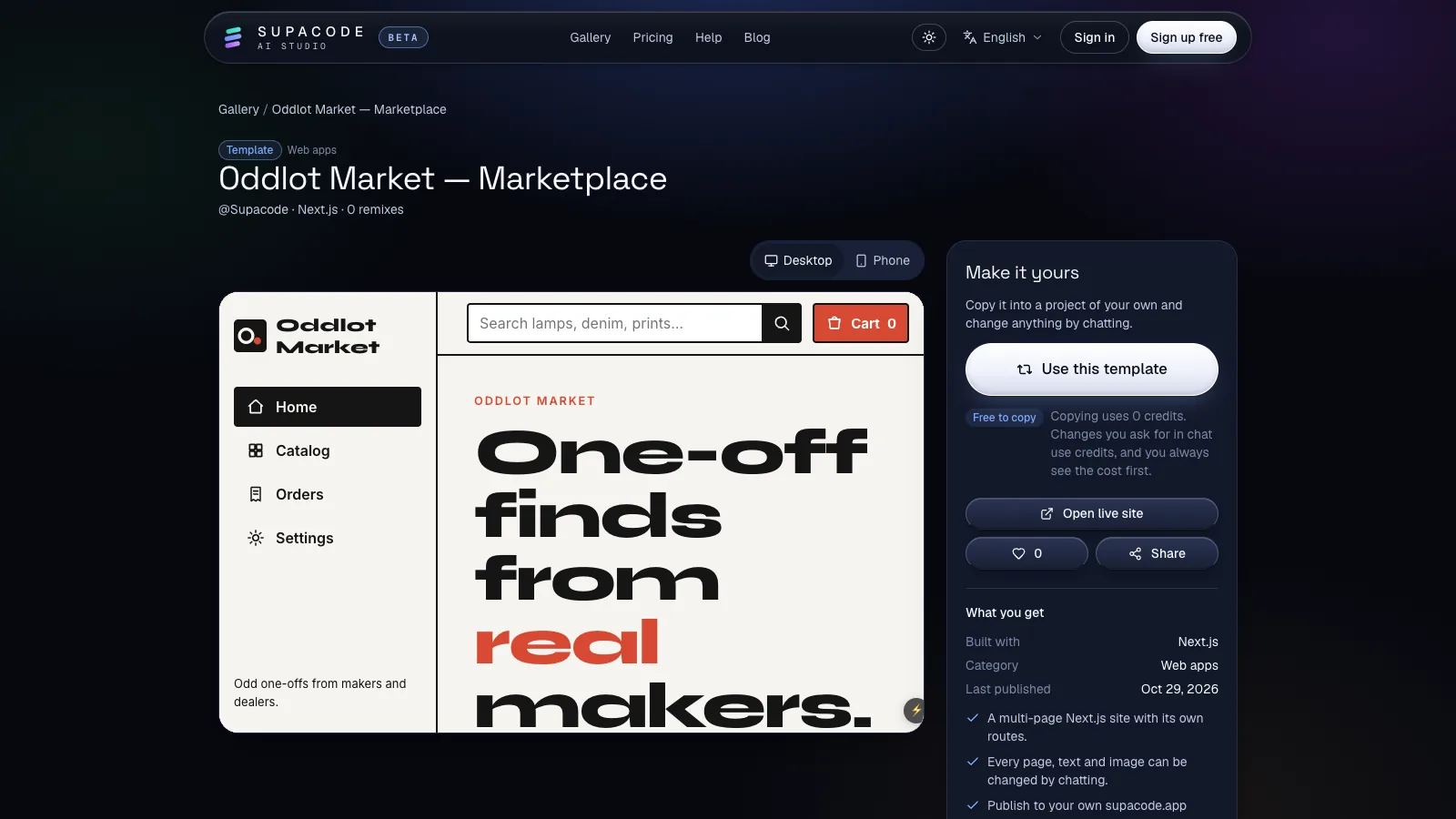
Two starting points work. For a marketplace, open the Oddlot Market template: a Next.js app with a home page, a catalog of 20 items from five independent shops, search, category, condition and price filters, sorting, a cart and an orders page. For a single brand, describe it in the composer on the home page and let Supacode choose the stack, or start from a store in the gallery. Copying a template uses 0 credits; every change after that shows its credit estimate first.
Then build in small, reviewable steps and check the live preview each time. Supacode saves a version after every change, so you can compare and restore at any point.
- Prompt 1, from scratch:
Build an online store for Ferment & Co, a small-batch hot sauce brand: home page, shop page with filters for heat level and price, product pages with 3 photos, sizes and stock, a cart drawer and a checkout page. Use Next.js. - Prompt 2, variants:
Each product has sizes 5 oz and 10 oz with their own price and stock. Disable sizes that are out of stock and show Only 3 left when stock is low. - Prompt 3, trust:
Add a shipping and returns section to every product page, a reviews section showing verified buyer reviews, and a free shipping progress bar in the cart over $40. - Prompt 4, the back office:
Add an Admin area to create and edit products, upload photos, change stock and mark orders as shipped with a tracking number. - Prompt 5, for a marketplace:
Let makers apply to sell: a seller sign-up form, a seller dashboard with their products and sales, and a 10% platform commission shown on each sale.

How do you go from a demo store to real orders?
A template's cart lives in the shopper's browser and its products are sample data. To sell, connect your own Supabase project in the studio's Backend tab. Supacode writes tables for products, orders and order items with row-level security as a migration, uses Supabase Auth for accounts, and runs nothing until you approve it; the GitHub and Supabase guide walks through it. Your customer data stays in your Supabase project.
Checkout and webhooks are server code. Build them as Next.js API routes and deploy the app to your own Vercel account from the Publish menu, where you also store your payment keys. Static publishing to supacode.app is for sites that do not need a server.
- Prompt 6, real catalog and orders:
Move products, variants, stock and orders to my connected Supabase. Shoppers can read products; only signed-in admins can edit them; customers see only their own orders. - Prompt 7, payments:
Add Stripe Checkout: an API route that rebuilds the cart from product ids and prices in the database, and a webhook that creates the order once, decrements stock in a transaction and emails a receipt.
How do you get an ecommerce store found on Google?
Product pages are your landing pages. Give each one a unique title and description, original copy rather than the manufacturer's paragraph, real photos with descriptive alt text, the price and availability, and reviews. Add Product structured data so Google can show price and stock in results.
Speed counts too: Google's Core Web Vitals measure loading, responsiveness and layout stability, and heavy product images are the usual culprit. Next.js renders pages to real HTML, which suits large catalogs. Supacode's published sites include page titles and descriptions; the Fernhouse template, for example, ships basic website structured data. Read our online store use case for more.
How much does it cost and how long does it take to build an ecommerce website?
The software can start free; selling never is. Every order carries a payment fee, and shipping, packaging, returns and customer service are the real costs of ecommerce. Model them per order before you set prices.
On Supacode, the Free plan gives 5 credits a day plus 20 welcome credits, templates are free to copy, and publishing to a supacode.app address is included; pricing lists paid plans, which add GitHub sync and AI image generation. Your Supabase project and payment provider bill you directly.
- A store front from a template or prompt: a day or two, mostly product photos and copy.
- Real products, accounts, card payments and an admin on your own database: one to a few weeks, including testing refunds and the last-item race.
- A multi-vendor marketplace with payouts, seller verification and disputes: months.
FAQ
Frequently asked questions
How much does it cost to build a website like Amazon?
A store front can start free on a template. A working store adds payment fees per order and a database plan. An Amazon-style marketplace adds seller payouts, verification, support and logistics, which cost far more than the code.
How do I build an ecommerce website from scratch?
Model products and variants, build catalog and product pages, keep the cart as ids and quantities, create a hosted checkout session on the server, and create orders from a verified payment webhook. Then add an admin for stock and shipping.
Can I build an ecommerce website using AI?
Yes. In Supacode you describe the store or copy a template, then refine it by chatting. Supacode writes real Next.js, React or HTML code; for real sales you connect your own Supabase project and payment provider.
Is Shopify better than building my own store?
Shopify is faster for standard stores because checkout, taxes and inventory come built in. A custom build gives you full control over design, data and unusual business models, at the cost of maintaining payments and security yourself.
How do I keep card payments secure?
Use a hosted payment page such as Stripe Checkout so card numbers never touch your servers, compute totals on the server, and verify webhook signatures before creating orders.
How long does it take to build an online store?
A front end from a template can be ready in a day or two. A store taking real orders with an admin usually takes one to a few weeks, mostly testing payments, stock and refunds.
Sources
- Stripe Checkout · Stripe documentation
- Receive Stripe events in your webhook endpoint · Stripe documentation
- Integration security guide · Stripe documentation
- Stripe Connect · Stripe documentation
- Product structured data · Google Search Central
- Web Vitals · web.dev (Google)
- Shopify pricing · Shopify