How to build an app like Uber or DoorDash in 2026
How delivery and ride apps really work: three apps, dispatch, live GPS and split payments. Then build a food ordering app from a free template.

By Supacode Editorial · Product and engineering
Contents
Quick answer
- An app like Uber or DoorDash is really three apps (customer, merchant and courier) around a dispatcher that matches orders to nearby drivers, streams their location and splits each payment.
- Most businesses should not start there. Online ordering for pickup is one app and can be live this week; your own delivery comes next; a multi-restaurant marketplace comes last.
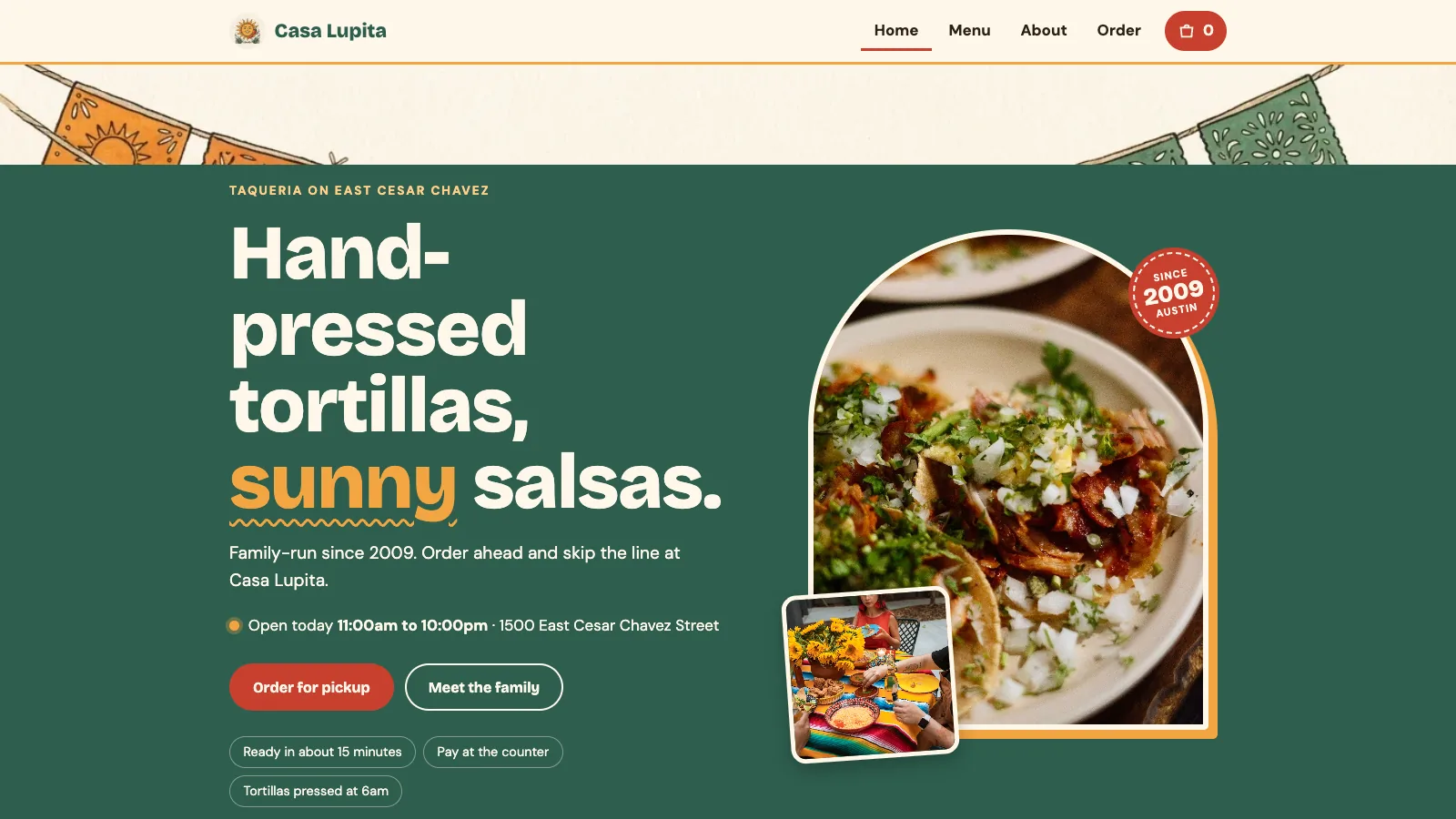
- With Supacode you can copy the free Casa Lupita ordering template for 0 credits, with a searchable menu, item options, a bag, pickup time slots, tips and tax, and reshape it by chatting.
- Real orders need a database such as your own Supabase project and a payment provider. Background GPS tracking of couriers needs native mobile apps; a web app can only share location while it is open.
What are you really building when you build an app like Uber?
It is seven on a Friday evening. Somebody taps Order on four tacos. In the next thirty minutes three people who will never meet have to act in sequence: a cook accepts the ticket and fires the grill, a courier two kilometres away accepts the job and rides to the counter, and the customer watches a dot crawl across a map. Each of them uses a different app, and none of them sees the software deciding who does what.
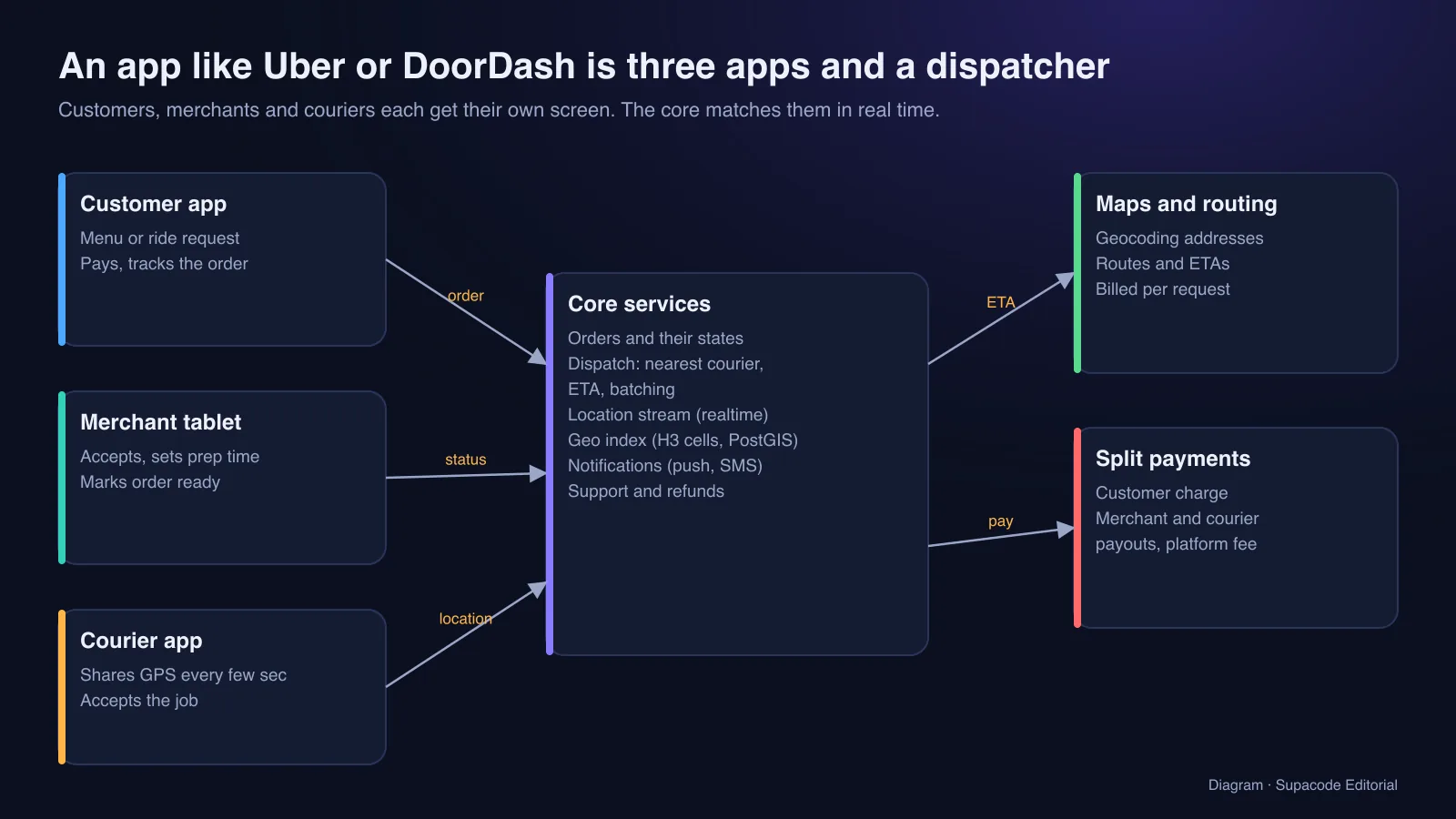
That software is the product. Uber, DoorDash and every on-demand service share the same skeleton: a customer app to request and pay, a merchant or driver app to accept and fulfil, a courier app that reports its location, and a back end that keeps the order's state, picks the best courier, estimates arrival times and splits the money. The interface is the easy part. Matching, timing and trust are the business.
This guide explains that skeleton, then shows the fastest honest way to get a working ordering app online with Supacode, an AI app builder that writes real React or Next.js code from a chat, and what you add to grow it into delivery.
Should you start with delivery, or with online ordering?
There are three products hiding under the phrase food delivery app, and they differ by an order of magnitude in effort.
- Online ordering for pickup: one restaurant, one app. Customers browse, customise, pay or pay at the counter, and choose a pickup time. No drivers, no maps. This is where most restaurants should start.
- Ordering with your own delivery: add an address, a delivery zone and fee, and a simple screen for your own drivers. Dispatch is a person in the kitchen assigning orders.
- A marketplace like DoorDash or Uber Eats: many restaurants, independent couriers, automated dispatch, payouts to every party, support and refunds at scale. This is a company, not a feature.
How does an app like Uber or DoorDash work under the hood?
Every order is a small state machine: placed, accepted, preparing, ready, picked up, delivered, or cancelled at almost any step. Store the state and every change with a timestamp; support, refunds and analytics all read that history. Each app subscribes to the orders it cares about and updates the moment the state changes, which is what realtime services such as Supabase Realtime are for.
Dispatch is the clever part. When an order is nearly ready, the system looks for couriers nearby, estimates how long each would take, and offers the job to the best one. Finding nearby quickly needs a geographic index. Uber built and open-sourced H3, a grid that divides the world into hexagons so drivers and orders can be bucketed by cell; Postgres users often reach for PostGIS and distance queries instead. Arrival estimates come from a routing service such as the Google Routes API, which is billed per request, so cache and batch.
Payments in a marketplace are split three ways: the customer is charged once, the platform keeps a fee, and the restaurant and courier are paid out. That requires identity checks and payouts for every merchant and driver, which is what platform products such as Stripe Connect handle. Finally, notifications (push and SMS) keep everyone moving, and a support console handles the order that went wrong, because one always does.
How does real-time GPS tracking work, and what can a web app do?
The courier's phone reads its position every few seconds and sends it to the back end, which forwards it to the customer watching the map. In a browser, the Geolocation API can watch position changes, but only on HTTPS, only after the user grants permission, and only while the page is open. Browsers do not let a web page keep tracking someone in the background with the screen off.
That single constraint is why couriers use native iOS and Android apps. Supacode builds web apps, not App Store apps, so here is the honest split: a web app is a great customer app, merchant screen and admin dashboard, and it can show a courier's position while the courier keeps the page open. For all-day background tracking, plan a native courier app or an existing fleet-tracking service, and feed its positions into the same back end.
How do you build a food delivery app with Supacode, step by step?
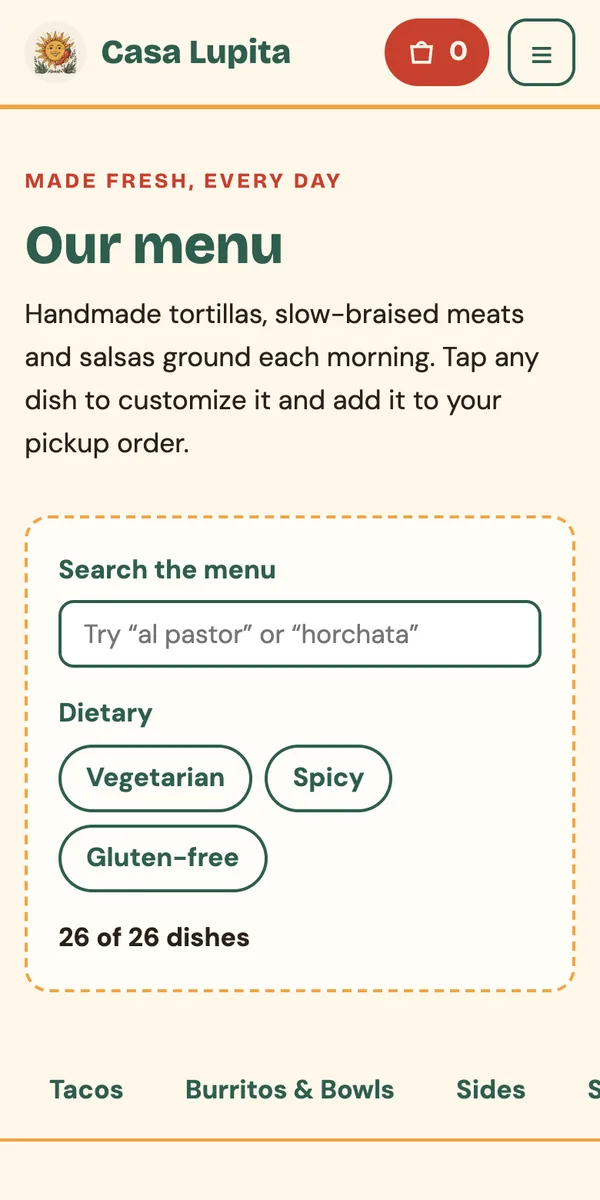
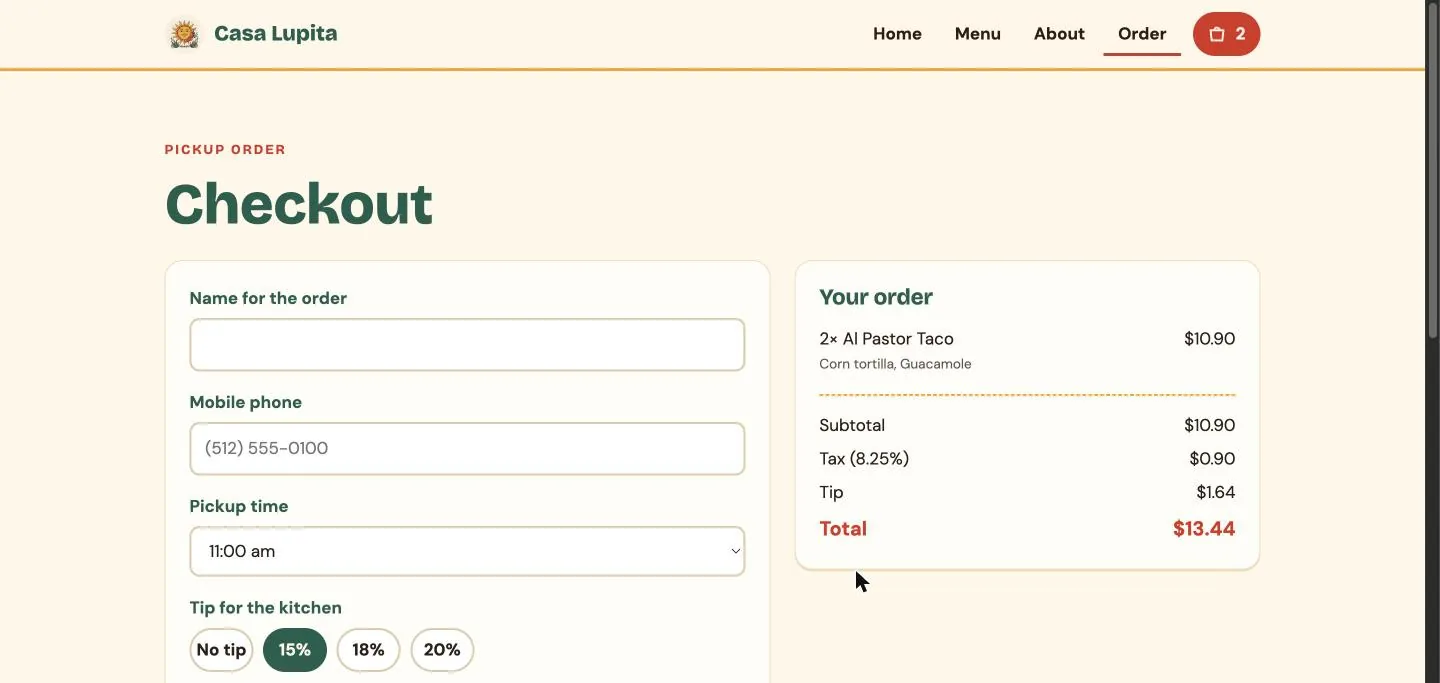
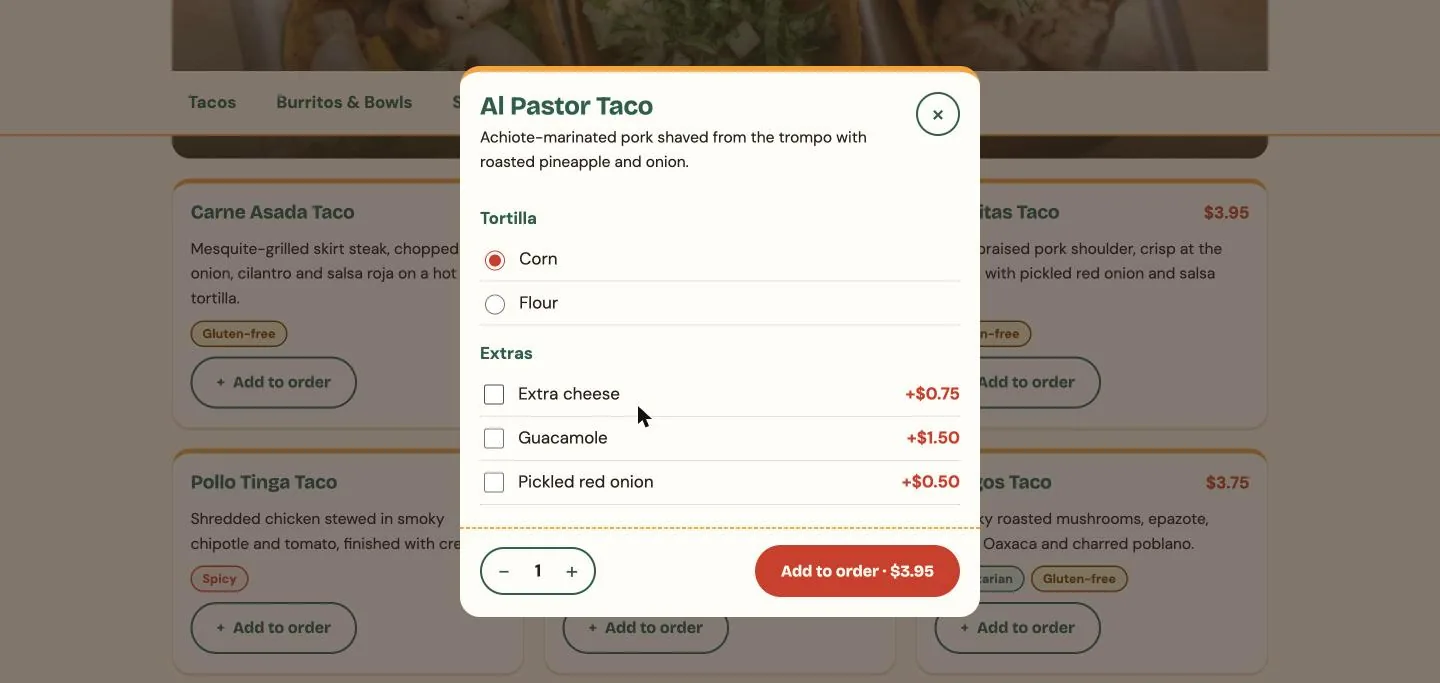
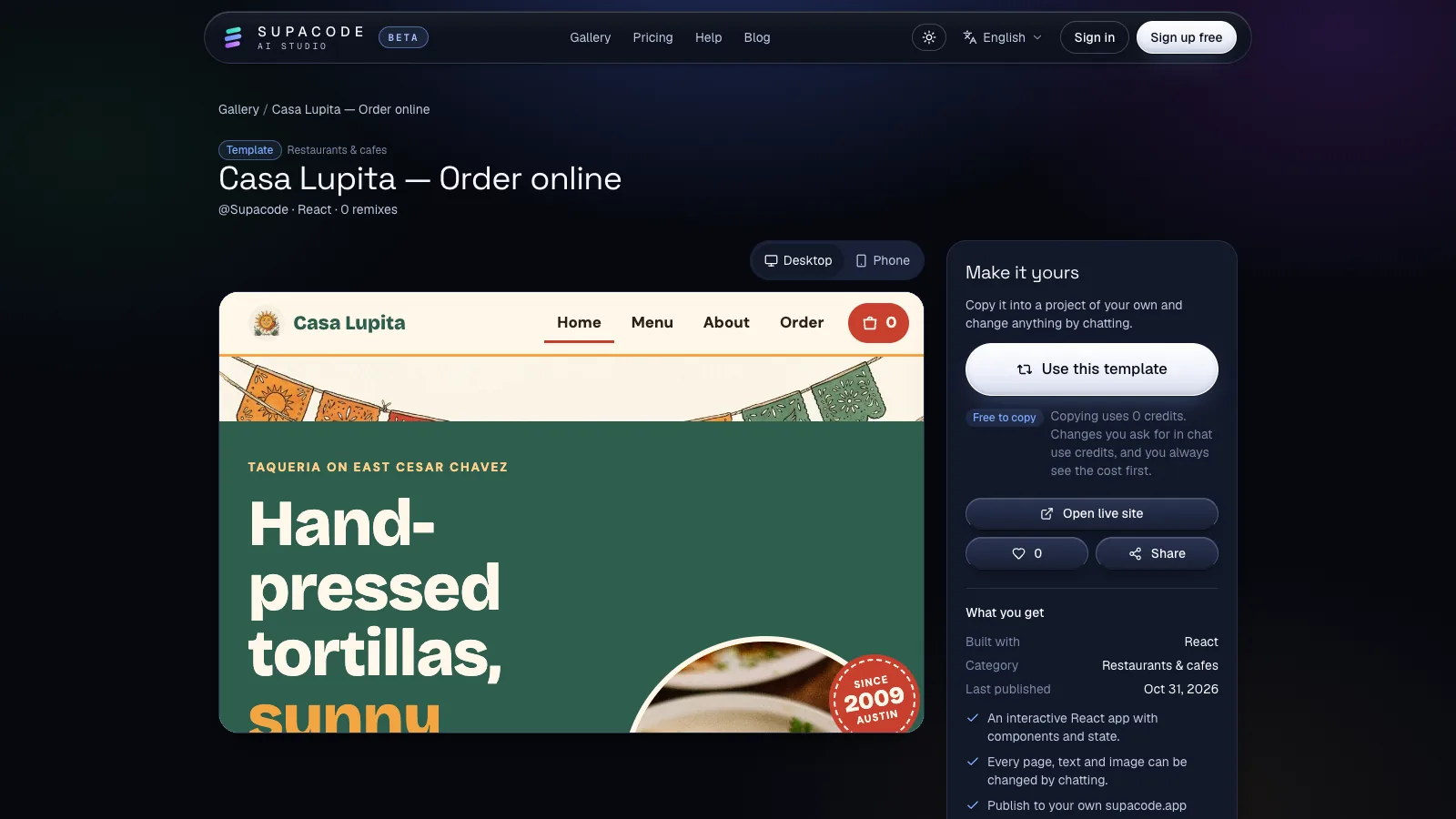
Start with the Casa Lupita template, a React ordering app for a taqueria. It already has a searchable menu with dietary filters and categories, a customise dialog with tortilla choice, priced extras and quantity, a bag, and a checkout with name, phone, pickup slots every 15 minutes, tip buttons, tax and order notes. Press Use this template; copying uses 0 credits, and the composer shows the credit estimate before every change.
Then reshape it one reviewable request at a time and check the live preview after each. Every change is saved as a version, so a step that goes wrong is one Undo away.
- Prompt 1, your restaurant:
Turn this into the ordering app for Pho Ba Mien, a Vietnamese noodle bar in Houston. Replace the menu with 20 dishes in Pho, Banh Mi, Rice Bowls, Sides and Drinks, with prices and real-sounding descriptions. - Prompt 2, options that matter:
For pho, add a required broth choice (beef or chicken), size (regular, large +$2) and optional extras (extra noodles +$1.50, brisket +$3). Show the price update in the add button. - Prompt 3, delivery:
At checkout, add Pickup or Delivery. For delivery, ask for the address and apartment, charge a $3.99 fee, require a $20 minimum, and show the estimated time as 35 to 50 minutes. - Prompt 4, order tracking:
After placing an order, show a tracking page with steps Received, Preparing, Ready or Out for delivery, and Delivered, with the order number and items. - Prompt 5, the kitchen screen:
Add a Kitchen page for staff: new orders in columns New, Preparing and Ready, a button to move each order to the next column, and a sound when a new order arrives.
How do you make orders, payments and status updates real?
A template's bag lives in the visitor's browser: it is perfect for testing the menu and checkout with real customers, but the kitchen never receives anything. To take real orders, connect your own Supabase project in the studio's Backend tab. When a request needs a database, Supacode typically builds on sample data first and offers the connection; once connected, it writes tables and row-level security as a migration that runs only after you approve it, and uses Supabase Auth for sign-in. The GitHub and Supabase guide shows each click.
Card payments and webhooks need server code, so build the app in Next.js and deploy it to your own Vercel account from the Publish menu; you keep your payment keys in your Vercel project. For a single restaurant, pay-at-the-counter is a perfectly good first release.
- Prompt 6, real orders:
Use my connected Supabase for menu items, orders and order items. Customers can see only their own orders; staff who sign in can see and update all of them. Update the Kitchen page and the tracking page in real time. - Prompt 7, payments:
Add Stripe Checkout for delivery orders: an API route that creates a checkout session from the order total computed on the server, and a webhook that marks the order paid. Keep Pay at the counter for pickup.
How much does it cost and how long does it take to build a delivery app?
Software is rarely the biggest line. A delivery marketplace pays for maps and routing requests, SMS, payment fees on every order, customer support, courier onboarding and insurance, and it needs legal advice on how couriers are classified where you operate. Those costs scale with every order, so model them per order before you write code.
On Supacode, the Free plan gives 5 credits a day plus 20 welcome credits, copying a template is free, and publishing to a supacode.app address is included; pricing lists the paid plans. Your Supabase project, payment provider and maps provider bill you directly.
- Pickup ordering from a template: days, mostly spent on your menu, photos and prices.
- Pickup and own-driver delivery with a real database, kitchen screen and card payments: a few weeks, including testing every cancellation path.
- A multi-restaurant marketplace with automated dispatch and native courier apps: many months and a team, whatever writes the code.
Should you build your own app, use a white-label platform or join a marketplace?
Compare the three on the criteria you can check: who owns the customer relationship, what each order costs you, and how much you can change.
- Join a delivery marketplace: instant reach and couriers, but a commission on each order and little control over the customer relationship or the brand.
- Use a white-label ordering platform: fast and supported, a monthly fee, and the design and features the vendor allows.
- Build your own with Supacode: your design, your customer list and code you can download or push to GitHub, with the responsibility for the database, payments and support that comes with it.
What mistakes kill food delivery apps?
Launching a marketplace in a city where you have no restaurants signed. Calculating prices in the browser instead of the server. Promising live tracking from a web page that stops when the courier locks the phone. Forgetting refunds, substitutions and the order that arrives cold. And building for every city at once: win one neighbourhood, then copy what worked. For a broader workflow, read How to build an app with AI.
FAQ
Frequently asked questions
How much does it cost to build an app like DoorDash?
An ordering app for one restaurant can start free on a template. A full marketplace costs far more: maps and routing per request, payment fees, SMS, support, courier onboarding and insurance scale with every order, beyond the cost of the software.
Can I build a food delivery app without coding?
Yes for a working ordering app: copy Supacode's Casa Lupita template and describe your menu and delivery rules in the chat. For real orders you connect your own Supabase project, and for card payments you deploy a Next.js version to your own Vercel account.
How does Uber track drivers in real time?
The driver app sends GPS positions every few seconds to the back end, which indexes them geographically (Uber built the H3 hexagon grid for this) and streams them to the rider's app. Background tracking requires native mobile apps.
Can a web app do live GPS tracking?
Only while the page is open and the user has granted location permission on HTTPS. Browsers stop web pages from tracking in the background, so courier apps are usually native.
What are the main features of a food delivery app?
Menu with search and options, cart, checkout with address and payment, order tracking, a kitchen or merchant screen, courier assignment, notifications, refunds and an admin dashboard.
Does Supacode build iPhone and Android apps?
Supacode builds web apps (HTML, React and Next.js) that run in any phone browser and can be published in one click. It does not produce App Store or Google Play apps.
Sources
- H3: a hexagonal hierarchical geospatial indexing system · H3 (developed at Uber)
- PostGIS · PostGIS project
- Geolocation API · MDN Web Docs
- Supabase Realtime · Supabase documentation
- Routes API · Google Maps Platform
- Stripe Connect · Stripe documentation